
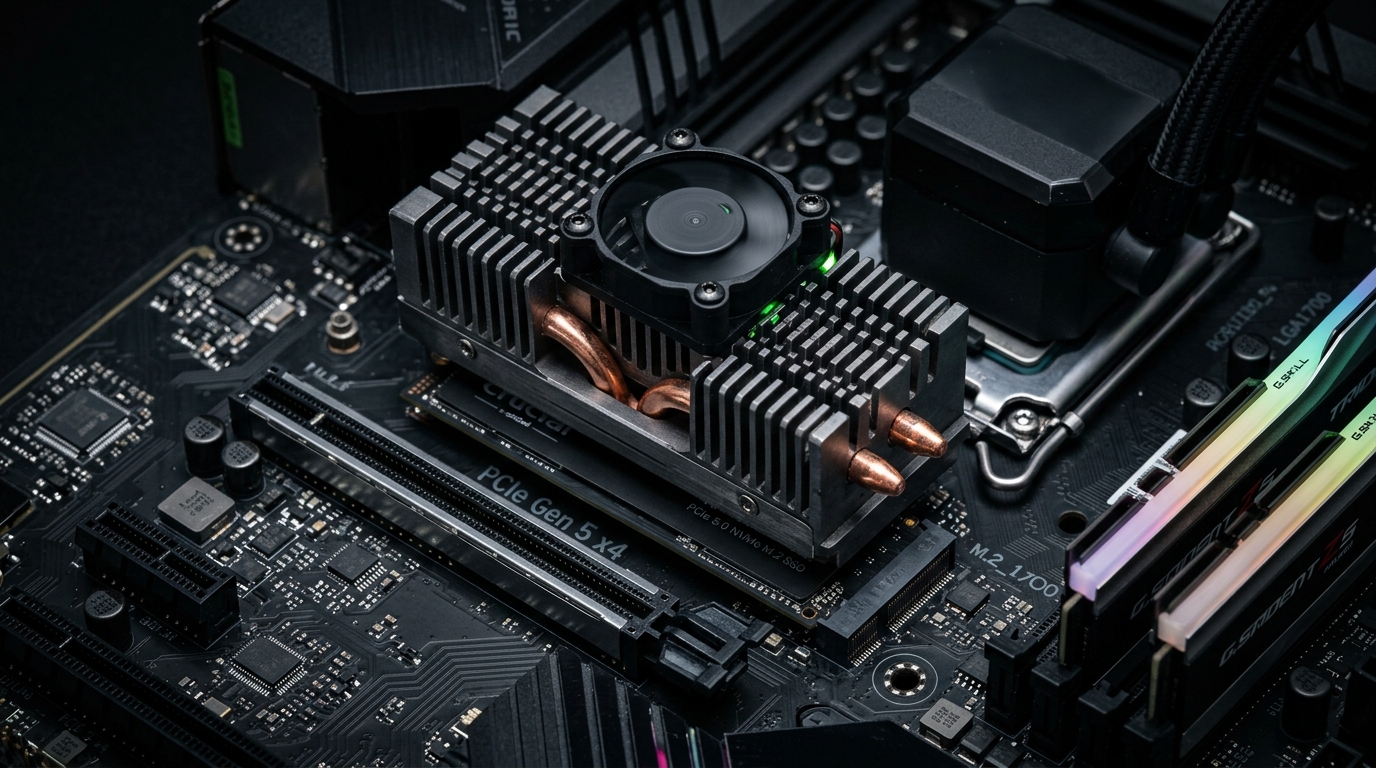
The transition to PCIe 5.0 NVMe solid-state drives (Gen5 SSDs) has pushed consumer and workstation storage throughput to staggering heights, with sequential read/write speeds exceeding 14,000 MB/s. However, pushing NAND flash controllers (such as the Phison E26 and Silicon Motion SM2508) to these extreme bandwidth boundaries generates unprecedented thermal density. Under sustained read/write loads, Gen5 controllers draw up to 12–14 watts of power, reaching critical 85°C thermal throttling thresholds in under 45 seconds when cooled solely by passive motherboard aluminum shields. In 2026, maintaining peak PCIe 5.0 speeds requires deploying active mini-fan heatsinks, direct-touch copper heatpipes, and high-conductivity graphene thermal pads.
- The 85°C Throttle Wall: When controller silicon reaches 82°C–85°C, internal firmware throttles PCIe bandwidth from Gen5 (14,000 MB/s) down to Gen1/Gen2 speeds (< 2,000 MB/s) to prevent catastrophic solder degradation.
- Controller vs. NAND Temperature Divergence: While SSD controller silicon thrives under 65°C, NAND flash memory cells actually perform optimal write retention cycles between 40°C and 55°C. Excessive sub-ambient cooling can paradoxically harm NAND endurance.
- Active Cooling Superiority: A dedicated finned heatsink with a low-RPM 20mm/30mm fan drops Gen5 controller temperatures by 25°C–32°C under sustained load compared to standard motherboard flat metal shields.
PCIe 5.0 SSD Cooling Solutions: Thermal Benchmark Comparison
| Cooling Solution | Peak Sustained Temp (100GB Write) | Thermal Throttle Behavior |
|---|---|---|
| Bare Drive (Zero Heatsink) | 89°C – 92°C (Critical) | Severe throttling to 1,200 MB/s in 35s |
| Stock Motherboard Passive M.2 Shield | 78°C – 84°C (Borderline) | Minor throttling during multi-minute transfers |
| Tower Heatpipe Passive Cooler (Thermalright HR-09) | 58°C – 64°C (Optimal) | Zero throttling; 100% sustained speed |
| Active Finned Fan Cooler (Corsair HydroX / BeQuiet MC1) | 51°C – 56°C (Maximum Headroom) | Zero throttling; silent low-RPM operation |
3 Rules for Installing High-Speed Gen5 Storage
- Replace Factory Thermal Pads: Stock motherboard blue pads often have low thermal conductivity (2–3 W/mK). Upgrading to 12.8 W/mK silicone or graphene pads ensures rapid heat transfer to the heatsink.
- Ensure CPU Direct Lane Attachment: Install Gen5 drives exclusively in the primary M.2 slot directly wired to CPU lanes (avoid chipset-routed M.2 slots that add latency and throttle PCIe lanes).
- Maintain Direct Case Airflow: In GPU-heavy workstations, position an intake fan to blow fresh air across the M.2 region to prevent GPU backplate exhaust from cooking the SSD heatsink.
Pair hardware cooling with our guides on DDR5 Memory Latency Benchmarks and OLED Monitor Burn-In Prevention.
Frequently Asked Questions: PCIe 5.0 SSD Cooling
Will a PCIe 5.0 SSD damage itself if run without a heatsink?
While modern SSD controllers have emergency thermal shutdown circuitry at 90°C to prevent permanent damage, repeated high-temperature cycling can cause solder fatigue, degraded NAND flash retention, and filesystem corruption.
Are miniature fans on active M.2 heatsinks noisy?
Early Gen5 SSD cooler fans ran at high, whiny RPMs. In 2026, modern active coolers use larger 25mm fluid-dynamic bearing (FDB) fans running under 3,000 RPM, producing negligible noise below standard PC case fan levels.
Do PCIe 4.0 SSDs require active cooling like PCIe 5.0?
No. PCIe 4.0 drives (such as the Samsung 990 Pro and WD Black SN850X) operate at 6–8W and perform comfortably under standard passive motherboard heatsinks without thermal throttling.
PCIe 5.0 solid-state drives represent the bleeding edge of consumer storage, but their astronomical 14,000 MB/s speed is completely illusory without adequate thermal dissipation. Investing in a dual-heatpipe or active finned cooler is essential to protect high-end NVMe silicon and maintain uncompromised burst performance.