
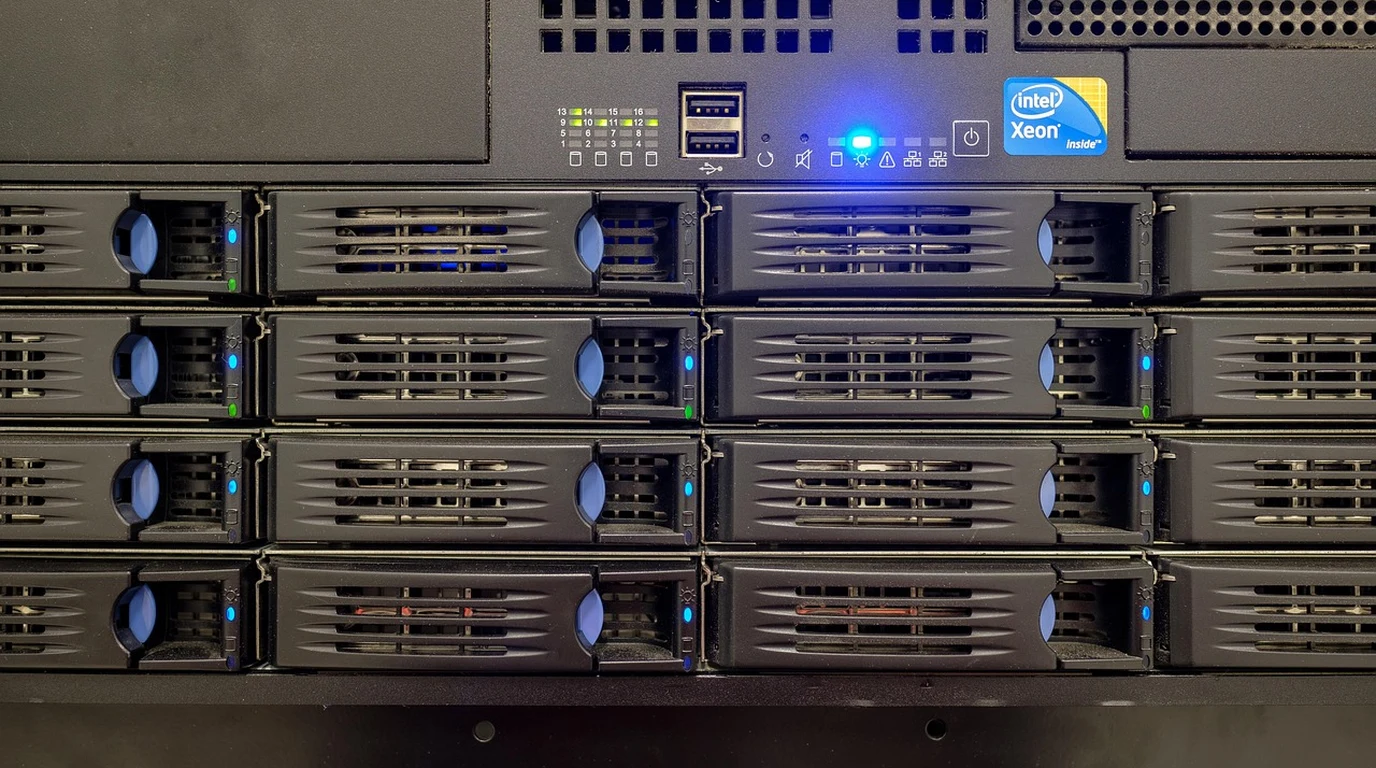
For small and mid-sized businesses (SMBs), creative media agencies, and distributed branch offices, network-attached storage (NAS) is the operational heart of the company. It stores active CAD drawings, high-bitrate video edits, accounting databases, and automated backup repositories. Yet when selecting a rackmount storage appliance, IT directors face a sharp divide between two compelling storage paradigms: the turnkey appliance convenience of Synology DiskStation Manager (DSM) and the rock-solid open-source data integrity of TrueNAS Enterprise powered by OpenZFS. In the 12-bay 2U rackmount segment, the battle centers on the Synology RackStation RS2423+ versus a comparable TrueNAS Enterprise (iXsystems R20) storage appliance. Beyond the initial sticker price, navigating this procurement choice requires auditing proprietary drive-locking vendor policies, RAM expansion limits, snapshot replication speeds, and 5-year hardware total cost of ownership (TCO).
What Is the Difference Between Synology RS2423+ and TrueNAS Enterprise?
The Synology RS2423+ delivers unmatched plug-and-play ease of use through DSM software applications (Active Backup for Business, Synology Drive), but enforces restrictive proprietary Synology HAT-branded drive policies and utilizes an underpowered AMD Ryzen V1780B CPU with a 32 GB RAM ceiling. TrueNAS Enterprise offers superior OpenZFS 128-bit cryptographic data integrity, unconstrained enterprise drive compatibility, multi-terabyte ARC caching, and true dual-controller high availability.
To understand why the Synology RS2423+ appeals to overstretched IT generalists, one must look at the Synology software ecosystem. Synology’s DSM operating system includes Active Backup for Business (ABB) completely license-free. With ABB, an SMB can back up an unlimited number of Windows physical endpoints, VMware/Hyper-V virtual machines, and Microsoft 365 cloud tenants directly to the NAS without paying a single dollar in recurring software licenses to Veeam or Commvault. Synology Drive provides a turnkey, private on-premise alternative to Dropbox and Google Drive with versioned file syncing across mobile and desktop clients. For an SMB with 75 employees, these bundled software tools save over $8,000 annually in SaaS subscription costs.
However, Synology’s hardware strategy in the RS2423+ introduces serious enterprise friction. First is the Synology Drive Compatibility List policy. In its enterprise “Plus” and “XS” rackmount lines, Synology officially restricts support to its own branded HAT5300 enterprise hard drives. If an IT administrator installs standard, widely available enterprise hard drives (such as Seagate Exos X18 or Western Digital Ultrastar DC HC550), DSM displays continuous warning banners, marks storage pools as “Unverified,” and Synology Technical Support reserves the right to deny technical assistance during storage failure events. Synology HAT drives carry an aggressive 35% to 50% price markup over identical rebadged Toshiba enterprise drives, dramatically inflating initial storage procurement costs.
Hardware Architecture: AMD Ryzen Embedded vs Intel Xeon Scalable
Comparing the underlying compute and memory specifications across both 12-bay rackmount appliances reveals substantial architectural differences:
| Hardware Specification | Synology RackStation RS2423+ | TrueNAS Enterprise (iXsystems R20) | Procurement & Architectural Impact |
|---|---|---|---|
| Processor Architecture | AMD Ryzen V1780B (4-Core / 8-Thread, 3.35 GHz) | Intel Xeon Silver 4410Y (12-Core, 2.0 GHz) | TrueNAS provides 3x more physical CPU cores for I/O. |
| Maximum ECC Memory | 32 GB DDR4 ECC UDIMM (Hard Ceiling) | 256 GB to 512 GB DDR5 ECC RDIMM | ZFS ARC cache scales with RAM; Synology is severely limited. |
| File System & Data Protection | Btrfs over Linux mdadm RAID | Native OpenZFS (RAIDZ2 / RAIDZ3) | ZFS provides 128-bit cryptographic self-healing parity. |
| Drive Locking Policy | Restricted (Synology HAT drives enforced) | Open (Accepts any SAS/SATA enterprise drive) | TrueNAS saves $3,600 across a 12-bay disk array. |
| High Availability Architecture | Synology High Availability (Requires 2x full units) | Dual-Controller Active/Standby in single chassis | TrueNAS delivers true enterprise HA without extra rack space. |
The OpenZFS Data Integrity Advantage
Where TrueNAS Enterprise definitively leaves Synology in the dust is underlying data resilience. Synology implements Btrfs on top of legacy Linux software RAID (mdadm). While this hybrid approach allows snapshotting and basic metadata checksumming, it lacks the unified atomic architecture of OpenZFS.
In TrueNAS Enterprise, OpenZFS manages the physical storage devices directly. Every single data block, indirect pointer, and metadata header is cryptographically protected with SHA-256 or Fletcher4 checksums. When silent bit rot or disk platter degradation occurs, OpenZFS detects the checksum mismatch instantly during read operations, fetches the correct parity block from surviving RAIDZ2 mirror disks, transparently repairs the damaged block on the fly, and logs the incident. Furthermore, OpenZFS utilizes the Adaptive Replacement Cache (ARC): with 256 GB of DDR5 memory, frequently requested video project files or database indexes are served directly from RAM at bus speeds exceeding 40 GB/s, completely bypassing spinning disk mechanical latency.
Snapshot Replication: Synology Snapshot Replication vs ZFS Send/Receive
Disaster recovery performance hinges on how efficiently storage arrays synchronize differential data blocks to off-site disaster recovery facilities.
The Synology RS2423+ utilizes its proprietary Snapshot Replication package. While user-friendly, DSM processes snapshots at the Btrfs subvolume level over standard SSH or encrypted DSM ports. For multi-terabyte volumes containing millions of small files, calculating Btrfs metadata diffs introduces considerable CPU overhead, often causing replication jobs to run for hours and bottlenecking the AMD Ryzen processor.
TrueNAS Enterprise leverages native ZFS send/receive streams. Because OpenZFS maintains a transactional copy-on-write tree, identifying modified blocks between two snapshot generations is instantaneous. TrueNAS streams raw serialized block deltas directly across 10GbE network fabrics at wire speed without traversing user-space file system abstractions. Paired with automated tools like Syncoid or native TrueNAS replication tasks, off-site differential backups complete in minutes with near-zero compute utilization.
The Synology RS2423+ is an exceptional choice for small corporate offices, schools, and non-profits where IT staff is minimal and the license-free Active Backup for Business suite replaces expensive third-party SaaS backup tools. If turnkey software apps outweigh raw storage horsepower, Synology is hard to beat. However, for media production houses, high-concurrency virtualization backends, or enterprise branch offices managing petabytes of mission-critical data, TrueNAS Enterprise is the only professional choice. Its open drive compatibility, massive RAM ARC caching, and bulletproof OpenZFS data self-healing protect enterprise assets against silent corruption and vendor lock-in.
ZFS caching performance depends entirely on system memory tuning. Master ARC allocation and IOPS optimization in our forensic guide on TrueNAS SCALE ARC Size: Tuning ZFS RAM for Fast IOPS.
Frequently Asked Questions
Can I upgrade the network interface card in the Synology RS2423+ to 25GbE?
Yes. The RS2423+ features a single PCIe Gen3 x8 slot that accepts Synology’s official dual-port 25GbE network adapter (E25G21-F2) or 10GbE SFP+/RJ45 add-in cards.
What is the maximum single volume size supported by DSM on the RS2423+?
When equipped with 32 GB of memory, the Synology RS2423+ supports a maximum single volume size of 108 terabytes (or up to 200 TB on specific Btrfs volume configurations). TrueNAS Enterprise with OpenZFS has no practical volume size limits, easily scaling into multi-petabyte zpools.
Does TrueNAS Enterprise support Microsoft Active Directory and ACLs?
Yes. TrueNAS Enterprise seamlessly integrates with Microsoft Active Directory and LDAP domain controllers, providing full support for Windows NFS/SMB advanced ACL permissions down to the granular file and folder level.