
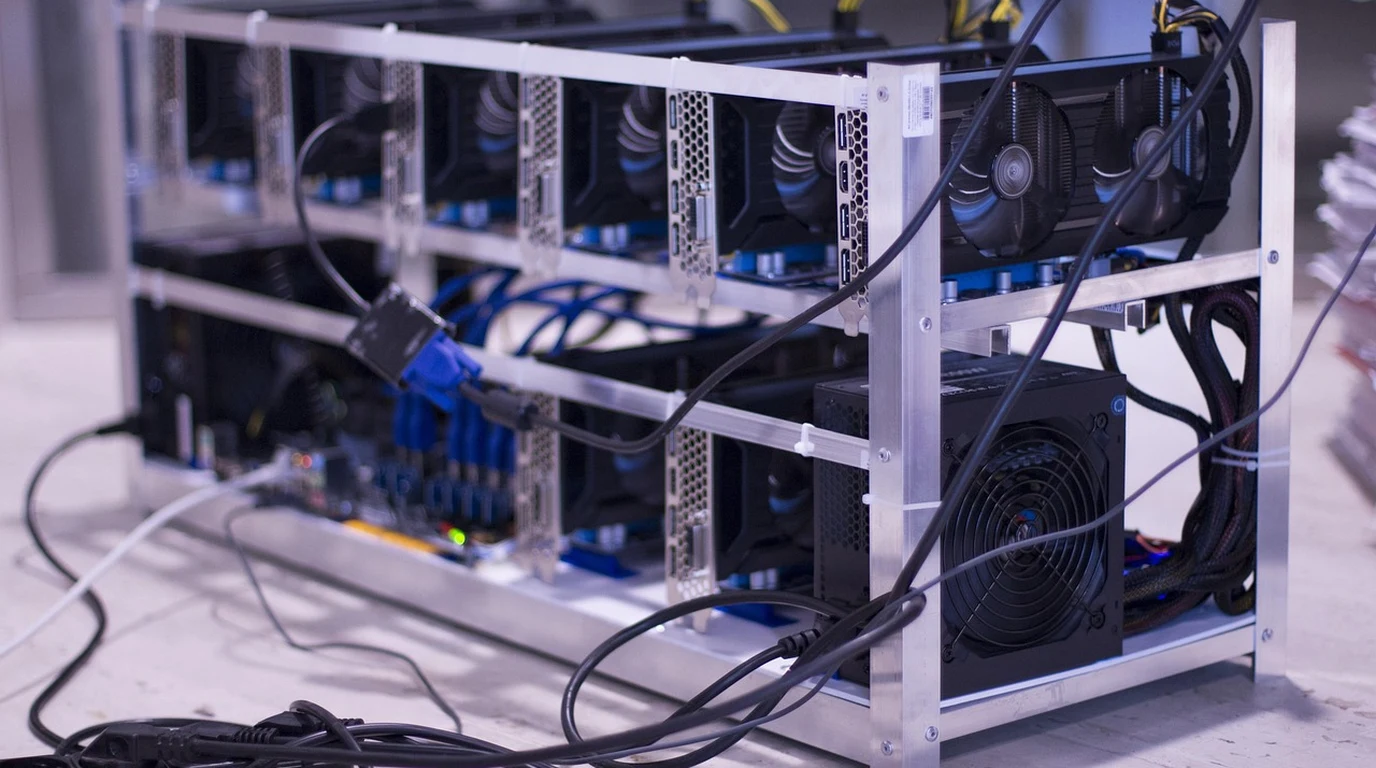
If your enterprise spent the past two years experimenting with OpenAI APIs, AWS Bedrock, or cloud-hosted GPU instances, your executive team has likely encountered the three insurmountable walls of public cloud AI: runaway inference token bills, stringent regulatory data sovereignty mandates, and unpredictable multi-tenant latency jitter. For organizations processing millions of internal document embeddings, proprietary customer financial records, or high-throughput real-time AI agents, streaming sensitive enterprise data to third-party public hyperscalers is both an unacceptable compliance liability and a massive margin drain.
The enterprise pendulum has swung decisively back toward on-premise infrastructure. Building private, air-gapped AI compute clusters inside owned data center colocation cages has emerged as the gold standard for enterprise artificial intelligence in 2026. However, architecting an on-premise AI server rack is fundamentally different from designing traditional virtualization or database infrastructure. Modern large language models (LLMs)—from Llama-3 70B and Mistral Large to specialized 120B mixture-of-experts (MoE) architectures—demand unprecedented densities of high-bandwidth memory (HBM3), massive PCIe Gen5 or NVLink interconnects, and specialized 48V power distribution capable of supporting up to 40 kilowatts per rack.
A poorly architected AI rack risks catastrophic thermal throttling, memory bandwidth starvation, and millions of dollars in idle silicon waste. This masterclass provides the definitive systems engineering runbook for sizing, procuring, and deploying on-premise AI inference and fine-tuning server racks. We will examine GPU accelerator selection, memory bandwidth calculations, server chassis form factors, non-blocking network fabrics, power and liquid cooling engineering, and the full 3-year TCO comparison against public cloud GPU instances.
How Do You Size an On-Premise AI Server Rack for Enterprise LLM Inference?
Sizing an on-premise AI rack requires calculating required GPU VRAM using the formula: VRAM = (Parameters × Precision Bytes) × 1.25 + KV Cache Overhead. For high-concurrency 70B parameter models, a standardized 4U 8x GPU node (such as 8x NVIDIA RTX 6000 Ada or H100 NVL) delivering minimum 384 GB VRAM and 400GbE RoCEv2 networking provides complete local data privacy while slashing cloud inference operational costs by up to 78% over 3 years.
Step 1: The VRAM and Memory Bandwidth Calculus
The cardinal mistake in AI hardware procurement is sizing servers based purely on compute FLOPS (Floating Point Operations Per Second). In LLM inference, compute is rarely the primary bottleneck; memory bandwidth is. When an autoregressive language model generates text, it must reload every single model weight from GPU memory into the compute cores for every single token generated. If your memory bus cannot stream weights fast enough, your expensive GPU cores sit idle waiting for data.
To accurately calculate the memory requirements for your enterprise workload, apply the standard mathematical framework for model footprint and context caching:
- Model Weight Memory Footprint: Model memory is determined by total parameter count multiplied by the precision bit-depth. At 16-bit precision (FP16/BF16), each parameter consumes 2 bytes. At 8-bit quantization (FP8/INT8), each parameter consumes 1 byte. At 4-bit quantization (AWQ/GPTQ), each parameter consumes 0.5 bytes:
- Llama-3 8B (FP16): 8 billion × 2 bytes = 16 GB baseline VRAM.
- Llama-3 70B (FP16): 70 billion × 2 bytes = 140 GB baseline VRAM.
- Llama-3 70B (FP8 Quantized): 70 billion × 1 byte = 70 GB baseline VRAM.
- CUDA Runtime and Activation Overhead: Add a 20% to 25% safety margin on top of raw weights to accommodate CUDA context initialization, framework runtime scratchpads, and activation memory. A 70B FP16 model strictly requires at least 175 GB of dedicated VRAM before processing a single user token.
- The KV Cache Memory Multiplier: As concurrency and prompt context lengths scale (e.g., analyzing 32,000-token legal contracts across 50 concurrent employees), the Key-Value (KV) Cache consumes massive amounts of VRAM. Sizing an inference node without dedicated headroom for the KV cache triggers out-of-memory (OOM) crashes during peak business hours. Using PagedAttention frameworks (vLLM or TensorRT-LLM), allocate at least 2 GB to 4 GB of VRAM per concurrent stream for long-context workloads.
Step 2: Accelerator Architecture: PCIe vs SXM5 and RTX 6000 Ada vs H100
Once memory capacity is determined, hardware architects must choose between two distinct GPU tiers and physical form factors:
| Hardware Parameter | 4x NVIDIA RTX 6000 Ada (PCIe Gen5) | 8x NVIDIA H100 / H200 (SXM5 Baseboard) | Enterprise Procurement Guidance |
|---|---|---|---|
| Target Workload | Enterprise LLM Inference & LoRA Fine-Tuning | Massive Foundation Training & Ultra-Scale Serving | RTX Ada is optimized for 95% of corporate inference. |
| Total GPU Memory Pool | 192 GB GDDR6 (48 GB per card) | 640 GB to 1,128 GB HBM3/HBM3e | HBM3 delivers 3.35 TB/s bandwidth per GPU. |
| Interconnect Bandwidth | PCIe Gen5 (64 GB/s bidirectional per card) | NVLink 4 (900 GB/s bidirectional mesh) | NVLink eliminates tensor parallelism bottlenecks. |
| Per-Node Power Consumption | 1,800 to 2,200 Watts (Standard Air Cooling) | 8,500 to 10,200 Watts (Liquid to Chip Required) | RTX Ada deploys in standard colocation racks. |
| Total Node CAPEX | $42,000 to $55,000 turnkey | $280,000 to $340,000 turnkey | RTX 6000 Ada delivers 6x lower capital barrier. |
Step 3: Network Fabric Design: RoCEv2 vs InfiniBand
When deploying multi-GPU nodes or clustering servers for distributed pipeline parallelism, networking becomes the backbone of model execution. If your network interface cards cannot exchange tensor gradients at microsecond latencies, GPUs stall in synchronization wait states.
For on-premise enterprise clusters, two network topologies dominate:
- RDMA over Converged Ethernet (RoCEv2): Built on standard Ethernet switches supporting Priority Flow Control (PFC) and Explicit Congestion Notification (ECN). By utilizing 100GbE or 200GbE NVIDIA ConnectX-6 Dx/Lx network adapters, RoCEv2 bypasses the host operating system kernel and CPU, allowing remote GPUs to write directly into local GPU memory. RoCEv2 provides 95% of InfiniBand throughput using familiar, cost-effective enterprise Ethernet switches.
- NVIDIA Quantum-2 InfiniBand: The gold standard for ultra-scale AI supercomputing. Operating at 400 Gbps per port with sub-sub-microsecond latencies and hardware adaptive routing, InfiniBand is mandatory for training clusters scaling beyond 64 GPUs. However, it requires specialized cabling, expensive Mellanox subnet managers, and proprietary switch hardware that significantly increases data center complexity.
Step 4: Power Distribution and Cooling Infrastructure
Traditional corporate data center racks are designed for 5 kW to 8 kW of power density. A single 8x SXM5 GPU server chassis draws over 10 kW on its own. Populating four such servers in a single 42U cabinet creates a staggering 40 kW power demand—enough electricity to power thirty residential homes simultaneously.
To successfully deploy high-density AI infrastructure in colocation facilities, adhere to three physical guardrails:
- 3-Phase 208V / 415V Power Feeds: Standard single-phase 120V circuits cannot support modern AI loads. Ensure the colocation cabinet features dual 3-phase 415V 60A Power Distribution Units (PDUs) with IEC C19 locking receptacles to deliver clean, balanced power to 3,000W titanium-rated server power supplies.
- Air vs Liquid Cooling Thresholds: Server chassis utilizing PCIe GPUs (such as the RTX 6000 Ada or L40S) can be effectively cooled using high-velocity air cooling, provided the colocation facility enforces hot-aisle containment and maintains cold-aisle intake temperatures below 22°C (71.6°F). However, if deploying dense SXM5 nodes exceeding 30 kW per rack, Direct-to-Chip (D2C) liquid cooling with on-rack Cooling Distribution Units (CDUs) is mandatory to prevent thermal throttling.
Step 5: 3-Year Enterprise TCO: On-Premise Rack vs AWS EC2 Cloud GPU
The economic justification for on-premise AI infrastructure is overwhelming when evaluated against continuous cloud GPU rental rates:
| Financial Vector | AWS Cloud (p4de.24xlarge 8x A100 80GB) | Owned Colocation AI Node (8x RTX 6000 Ada) | Forensic 36-Month Capital Variance |
|---|---|---|---|
| Monthly Compute Run-Rate | $19,850 / mo (3-Year Reserved Instance) | $2,450 / mo (Amortized Hardware CAPEX) | 87% reduction in raw GPU compute cost. |
| Colocation Space & Power (3kW) | $0 (Bundled into cloud margin) | $1,200 / mo (Colo power, cooling & transit) | Predictable fixed operational facility expense. |
| Network Egress & API Token Fees | $2,400 / mo (Cloud egress + embedding tolls) | $0 (Internal LAN / unmetered transit) | Eliminates punitive data extraction charges. |
| Cumulative 3-Year Total Cost | $801,000 | $176,200 | $624,800 net enterprise capital retained (78% savings). |
Quantization & Precision Strategy: FP8 vs AWQ 4-Bit Trade-Offs
A crucial software-defined optimization that directly impacts hardware sizing is model quantization. Running 70B models in full 16-bit unquantized precision mandates at least 175 GB of dedicated VRAM, requiring an 8-GPU node or multi-card tensor parallelism. However, modern post-training quantization techniques allow enterprises to radically shrink hardware footprints with negligible accuracy degradation.
Enterprise AI engineering teams evaluate two primary quantization standards:
- FP8 (8-Bit Floating Point): Supported natively in hardware on NVIDIA Ada Lovelace and Hopper microarchitectures via 4th-generation Tensor Cores. FP8 reduces model memory consumption by exactly 50% (Llama-3 70B fits in ~75 GB VRAM) while preserving virtually 99.5% of baseline FP16 benchmark accuracy across complex reasoning, math, and code synthesis benchmarks. FP8 enables a full 70B model to be served on just two 48 GB GPUs (such as dual RTX 6000 Ada cards) with zero pipeline latency.
- AWQ (Activation-Aware 4-Bit Weight Quantization): AWQ identifies the top 1% most salient weight channels in the neural network and protects them in higher precision while quantizing remaining weights to 4-bit integers. A 70B parameter model compressed with AWQ fits into just 42 GB of VRAM—allowing an entire enterprise LLM to execute on a single 48 GB workstation card. While AWQ exhibits a modest 1% to 2% perplexity penalty on specialized domain reasoning, its ability to run massive models on compact, low-power server nodes slashes hardware CAPEX by 70%.
The era of blindly renting cloud GPUs at 80% gross margins is over for mature enterprises. If your organization operates steady-state AI inference workloads running more than 16 hours a day, renting cloud instances is an indefensible operational waste. A 4U server equipped with four or eight NVIDIA RTX 6000 Ada or L40S GPUs placed in a certified colocation facility delivers total data privacy, eliminates compliance exposure, and achieves full capital payback in less than nine months. Deploying owned AI silicon transforms artificial intelligence from a runaway variable expense into a high-leverage enterprise asset.
Next-generation consumer and workstation GPUs shift inference economics. Compare memory bus widths and VRAM performance in our detailed study on RTX 5080 vs RTX 4090: Enterprise AI & VRAM Forensics.
Frequently Asked Questions
Can we run Llama-3 70B on consumer RTX 4090 GPUs instead of enterprise cards?
Yes, but with severe density limitations. The RTX 4090 possesses only 24 GB of VRAM and lacks NVLink, requiring at least four cards just to fit the quantized model weights. Furthermore, consumer GPUs feature dual-slot axial coolers that exhaust hot air inside the chassis, causing severe thermal throttling when stacked tightly in a server chassis compared to blower-style enterprise cards.
What inference serving framework provides the highest tokens-per-second?
For multi-user enterprise serving, vLLM and NVIDIA TensorRT-LLM lead the industry. Both frameworks utilize continuous batching and PagedAttention to maximize GPU memory efficiency and throughput, delivering up to 4x higher concurrency than basic Ollama or HuggingFace pipelines.
What is the typical lead time for enterprise AI server hardware?
While flagship SXM5 systems (H100/H200) often experience enterprise lead times of 8 to 16 weeks, PCIe-based AI servers utilizing NVIDIA RTX 6000 Ada or L40S GPUs are widely stocked through enterprise distribution with lead times typically under 2 to 3 weeks.