
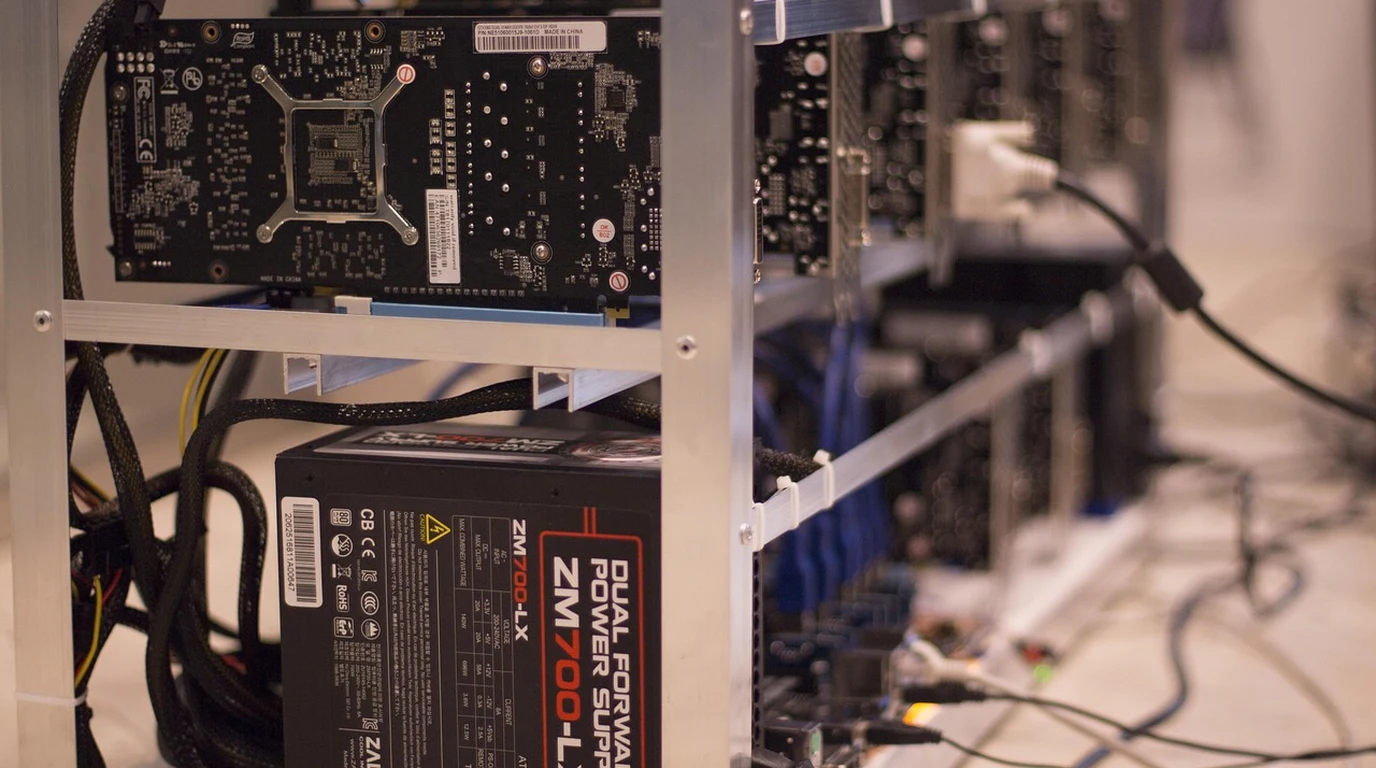
Across enterprise engineering departments, quantitative finance trading desks, and biomedical research laboratories, a massive computational migration is underway: the repatriation of private artificial intelligence workloads from public cloud infrastructure to on-premises workstations. As monthly cloud API bills for hosted LLMs (GPT-4, Claude 3.5 Sonnet) skyrocket and corporate compliance officers sound the alarm over proprietary intellectual property leaking to third-party model providers, engineering leaders are tasked with procuring high-performance local AI compute rigs for internal fine-tuning, retrieval-augmented generation (RAG), and zero-latency inference.
When architects design an on-premise AI workstation, they inevitably collide with a fierce hardware procurement dilemma: Should you specify a single NVIDIA RTX 6000 Ada Generation workstation card, or deploy dual consumer NVIDIA GeForce RTX 4090 cards? On a pure spreadsheet analysis, the dual RTX 4090 approach appears to be an unbeatable bargain. Two RTX 4090s deliver a combined 48GB of GDDR6X VRAM, matching the 48GB capacity of the RTX 6000 Ada, while offering raw FP16 Tensor TFLOPS that exceed the professional card—all for roughly $3,600 total GPU CapEx compared to $7,000 to $8,200 for a single RTX 6000 Ada.
However, running high-concurrency generative AI models inside an enterprise production environment is an unforgiving physical engineering challenge. When you account for chassis thermal dissipation physics, memory bus architecture, the death of hardware NVLink pooling, ECC memory integrity, and corporate IT insurance compliance, the apparent financial savings of consumer GPUs frequently evaporate into melted power connectors, driver crashes, and unmanageable server room acoustics. To deploy your enterprise capital with surgical precision, you must dissect the microscopic hardware differences governing professional and consumer silicon.
Should You Buy an RTX 6000 Ada or Dual RTX 4090s for Enterprise AI?
To grasp why these two configurations behave so radically differently under heavy machine learning workloads, one must examine the physical silicon, memory topology, and mechanical thermal design of each platform. Both the RTX 6000 Ada and the GeForce RTX 4090 are manufactured on TSMC’s custom 4N process node and share the underlying AD102 GPU core architecture. However, NVIDIA implements strict hardware and software segmentation between its consumer GeForce division and its professional workstation/enterprise division.
The consumer GeForce RTX 4090 utilizes a harvested, cut-down variant of the silicon (AD102-300), featuring 16,384 CUDA cores, 512 fourth-generation Tensor Cores, and a 384-bit memory interface populated with 24GB of ultra-fast GDDR6X memory running at 21 Gbps (yielding 1,008 GB/s bandwidth). Crucially, the RTX 4090 was designed from the ground up as a standalone consumer gaming card. It is physically massive—typically consuming 3.5 to 4 PCIe expansion slots in width—and relies on enormous axial fan assemblies that dump up to 450 Watts of heated air directly into the interior of the computer chassis.
In stark contrast, the RTX 6000 Ada Generation utilizes a nearly unharvested AD102 core (AD102-850) featuring 18,176 CUDA cores (11% more compute units) and 568 Tensor Cores. It features a massive 48GB of GDDR6 memory operating across the same 384-bit bus with full Error-Correcting Code (ECC) support. More importantly, the physical card is an exact standard dual-slot (2-slot) form factor equipped with a lateral blower-style centrifugal fan. The blower pulls cool air from inside the chassis, forces it across a dense copper vapor chamber, and exhausts 100% of the 300 Watts of thermal energy directly out the rear I/O bracket of the workstation.
- Contiguous VRAM Architecture: A single RTX 6000 Ada provides 48GB of unified, contiguous memory address space, allowing a 70B parameter quantized model to fit completely on one card without multi-GPU sharding overhead.
- The NVLink Death Penalty: Consumer Ada Lovelace cards completely lack hardware NVLink bridges; dual RTX 4090s must communicate across the PCIe bus, introducing heavy tensor-parallel communication latency.
- ECC Reliability: Professional ECC VRAM prevents silent data corruption during 72-hour continuous model training runs; consumer GDDR6X risks catastrophic checkpoint corruption.
- Chassis Ergonomics: Dual 3.5-slot RTX 4090s choke each other for airflow when installed adjacent to each other, thermal throttling within 8 minutes of full load.
Forensic Specification Matrix: RTX 6000 Ada vs. Dual RTX 4090
The table below provides a forensic engineering comparison of compute capacity, memory architecture, physical dimensions, thermals, and software licensing contrasting a single RTX 6000 Ada against dual RTX 4090s.
| Architecture Dimension | 1x NVIDIA RTX 6000 Ada Generation | 2x NVIDIA GeForce RTX 4090 | Enterprise Engineering Analysis |
|---|---|---|---|
| Total VRAM Capacity | 48GB Contiguous GDDR6 | 48GB Segmented (2x 24GB GDDR6X) | RTX 6000 holds massive 70B models in single address space; dual 4090 requires tensor sharding. |
| Memory Error Correction (ECC) | Full Hardware ECC (Enabled) | Zero ECC Support (Consumer Non-ECC) | Critical for financial/medical research; prevents bit-flip gradient divergence during multi-day training. |
| Inter-GPU Interconnect | N/A (Single Card) | PCIe Bus Only (Zero NVLink) | Communication between 4090s throttled by PCIe Gen4/5 bus (32GB/s–64GB/s vs 900GB/s NVLink). |
| Physical Form Factor | Standard 2-Slot Dual Width | Massive 3.5 to 4-Slot Width Each | Dual 4090s require 8 PCIe slots of physical space; impossible to fit in standard 4U server chassis. |
| Thermal Cooling Architecture | Lateral Blower (100% Rear Exhaust) | Open Axial Fans (Recirculates Heat) | Card 1 chokes Card 2 in multi-GPU configurations, causing thermal throttling to 60% clocks. |
| Total Board Power (TBP) | 300 Watts | 900 Watts Combined (450W x 2) | Dual 4090 requires massive 1600W+ PSU and trips standard 15A residential/office branch circuits. |
| NVIDIA EULA Compliance | 100% Datacenter & Server Compliant | EULA Banned in Datacenter Deployments | NVIDIA GeForce EULA explicitly forbids deploying GeForce cards in enterprise datacenters. |
| Hardware Purchase Price | $7,000 – $8,200 USD | $3,600 – $4,200 USD Combined | Dual 4090 offers 50% CapEx savings upfront; carries higher operational & engineering overhead. |
The Death of NVLink: The Memory Pooling Myth
The single most dangerous misconception held by junior AI engineers is the assumption that plugging two 24GB RTX 4090s into a motherboard creates a “48GB GPU.” It does not.
In previous enterprise generations (such as the Turing RTX 2080 Ti and Ampere RTX 3090), NVIDIA supported physical NVLink bridge connectors on consumer flagship hardware. NVLink provided a dedicated, high-speed bi-directional interconnect operating at up to 112 GB/s, enabling hardware-level memory pooling where CUDA treats two physical cards as a unified address space with low latency.
With the launch of the Ada Lovelace generation, NVIDIA completely eradicated physical NVLink golden fingers from all GeForce cards, including the RTX 4090. There is no physical bridge connector on an RTX 4090. If you install dual RTX 4090s, the cards can communicate only across the motherboard’s PCIe slots.
When running a large language model that exceeds 24GB (such as a 70B parameter Llama 3 model quantized to 4-bit, which requires approximately 38GB of VRAM including KV cache), you cannot simply load the model. You must utilize software-level sharding—either Tensor Parallelism (TP) or Pipeline Parallelism (PP) via frameworks like vLLM, DeepSpeed, or Hugging Face Accelerate:
- Pipeline Parallelism (Layer Splitting): Splitting model layers across the two cards (e.g., Layers 1–40 on GPU 0, Layers 41–80 on GPU 1). While this avoids heavy synchronization, it introduces massive “pipeline bubble” latency—GPU 1 sits idle doing zero work while waiting for GPU 0 to finish processing early token layers.
- Tensor Parallelism (Matrix Splitting): Splitting individual weight matrices across both GPUs. This keeps both GPUs fully saturated, but requires the cards to exchange intermediate tensor activations on every single transformer layer. Because this communication must travel across the PCIe bus instead of high-speed NVLink, the PCIe interconnect becomes an unyielding bottleneck, slashing token generation throughput by 30% to 50%.
In stark contrast, a single RTX 6000 Ada loads the entire 70B model into its single, unified 48GB memory space. The GPU communicates with its local VRAM across its 384-bit bus at an uninterrupted 960 GB/s. There is zero PCIe inter-GPU traffic, zero software sharding overhead, and zero tensor synchronization latency. The single RTX 6000 Ada generates tokens at nearly twice the throughput of dual RTX 4090s despite having identical total VRAM capacity.
Thermal Physics & The 12VHPWR Connector Fire Risk
Beyond memory architecture, deploying dual RTX 4090s introduces extreme physical and thermal hazards inside commercial server rooms.
A single RTX 4090 consumes up to 450 Watts of power under sustained CUDA load. Dual cards consume 900 Watts of continuous power—and when factoring in an AMD Threadripper or dual EPYC workstation platform, total system draw easily exceeds 1,300 to 1,500 Watts. This pushes standard 120V / 15-Amp building branch circuits to their absolute legal continuous load limit (1,440 Watts under the 80% NEC rule), frequently tripping breakers during long training runs.
Furthermore, consumer RTX 4090s utilize the controversial 16-pin 12VHPWR (PCIe 5.0) power connector. In dense multi-GPU workstation builds, routing two pairs of stiff, heavy 12VHPWR power cables requires bending the connectors tightly against the chassis side panel. High continuous current draw (up to 37.5 Amps per connector) combined with slight terminal pin displacement caused by lateral cable bending has resulted in hundreds of documented cases of melted power plugs and catastrophic board destruction. In an enterprise environment, deploying equipment with documented electrical melting risks invalidates commercial property insurance policies.
Finally, the physical dimensions of consumer 4090s (each measuring 304mm to 350mm in length and 70mm to 80mm in thickness) make adjacent PCIe mounting impossible on standard motherboards. Card 2 sits directly against the axial intake fans of Card 1, blocking cool air intake completely. Within 8 minutes of starting a deep learning workload, the choked card hits its 84°C thermal ceiling, triggers thermal protection, and throttles its core clock down to 1,100 MHz—destroying the very performance advantage you paid for.
Dual RTX 4090s are a high-maintenance enthusiast hack; the RTX 6000 Ada is an enterprise capital investment. If you are an individual researcher tinkering in a ventilated home office where you can monitor cables and tolerate software sharding bugs, dual 4090s offer undeniable budget compute. But if you are procuring hardware for an enterprise team, commercial R&D lab, or multi-tenant workstation where uptime, ECC data integrity, 4U chassis thermals, and regulatory insurance compliance are non-negotiable, the RTX 6000 Ada is worth every penny of its $7,000 price tag. Specify the RTX 6000 Ada and eliminate hardware friction permanently.
The 4:00 PM Actionable AI Hardware Checklist
Before submitting your enterprise AI workstation purchase order, execute this four-step engineering audit:
- Model Your Largest Target Parameter Size: Calculate your target LLM memory footprint using the formula: $$ ext{VRAM Required (GB)} = ( ext{Parameters in Billions} imes ext{Bytes per Parameter}) imes 1.25$$ (the 1.25 multiplier accounts for 8K KV cache). If your target model exceeds 24GB (e.g., Llama 3 70B at Q4 requires 38GB), a single 48GB RTX 6000 Ada is vastly superior to sharded multi-GPU configurations.
- Verify Chassis Airflow Orientation: If mounting GPUs in an enterprise rackmount chassis (such as a SilverStone RM44 or Supermicro 4U), strictly reject axial consumer cards. Specify lateral blower-fan architectures (RTX 6000 Ada or liquid-cooled enterprise variants) to ensure all heat is expelled out the back of the server rack.
- Audit Electrical Circuit Capacity: Verify the dedicated electrical circuit serving your workstation desk or server room. A dual-4090 rig (1,400W system draw) requires a dedicated 20-Amp / 120V circuit (or 240V PDU). An RTX 6000 Ada system (550W total system draw) runs comfortably on standard 15-Amp office branch power.
- Review Software EULA Compliance: Review Section 2.1.3 of the NVIDIA Software License Agreement with your legal department. If your workstation will be accessible as a shared network server or hosted in a colocation facility, using consumer GeForce drivers violates enterprise licensing terms, exposing your organization to software audit penalties.
High-capacity network storage arrays feed multi-GPU compute rigs. Master our hardware roadmap for Enterprise NAS Shootout: Synology vs TrueNAS Enterprise.