
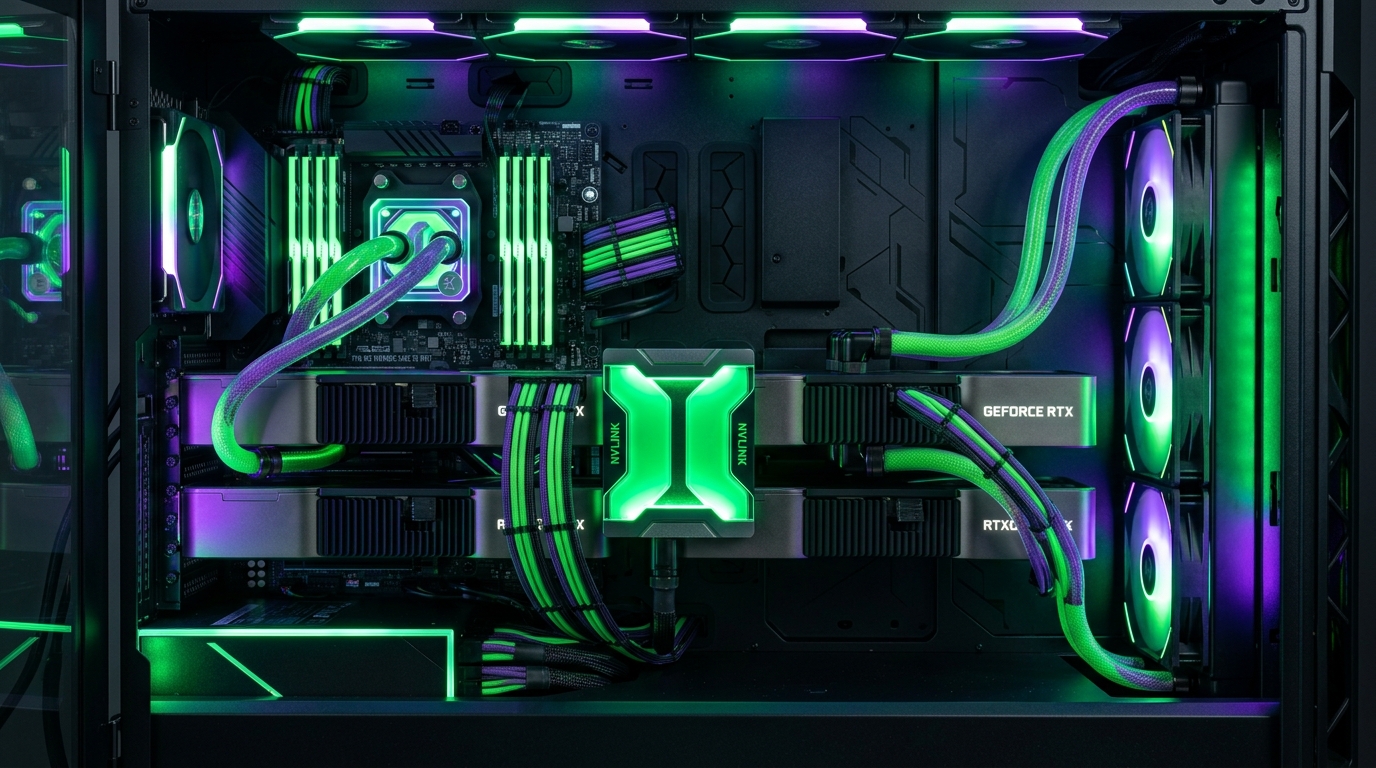
As state-of-the-art open-weights reasoning models like DeepSeek-R1 (70B/671B MoE) and Llama 3.3 70B redefine local artificial intelligence capabilities, running high-throughput inference on a single consumer GPU is no longer feasible. A 70B parameter model in 4-bit/8-bit precision requires between 40 GB and 76 GB of VRAM—forcing AI engineers to build multi-GPU workstations (e.g. Dual RTX 3090/4090 or Quad RTX 5080/5090 setups). However, splitting a large language model across multiple graphics cards is fraught with architectural pitfalls. Understanding the difference between Tensor Parallelism (TP), Pipeline Parallelism (PP), and Distributed Memory Serving via vLLM and SGLang is critical to maximizing tokens-per-second (TPS) and eliminating PCIe interconnect bottlenecks in 2026.
- Tensor Parallelism (TP): Slices individual weight matrices (layers) across GPUs simultaneously. Requires massive inter-GPU bandwidth (NVLink or PCIe 4.0/5.0 x16/x16) but delivers maximum generation speed (45+ TPS).
- Pipeline Parallelism (PP): Divides layers sequentially (GPU 0 executes layers 1–40; GPU 1 executes layers 41–80). Low communication overhead, but suffers from severe GPU idle bubbles.
- vLLM Distributed Serving: The gold standard engine for multi-GPU inference, leveraging PagedAttention and Ray/NCCL to serve concurrent client requests with sub-50ms TTFT.
Architecture Shootout: Tensor Parallelism vs. Pipeline Parallelism
| Parallelism Strategy | Inter-GPU Bandwidth Dependency | Generation Speed (70B 4-bit) | Best Hardware Configuration |
|---|---|---|---|
| Tensor Parallelism (TP) | Extremely High (All-Reduce per layer) | 42 – 65 Tokens/sec | Dual RTX 3090 (NVLink) or PCIe 4.0/5.0 x16/x16 |
| Pipeline Parallelism (PP) | Low (Only layer boundary activations) | 14 – 22 Tokens/sec (Idle Bubble Lag) | Mixed GPUs or PCIe x4/x8 slots |
| vLLM Distributed (TP=2) | High (NCCL Shared Memory) | 55 – 80 Tokens/sec (Batched) | Dual RTX 3090/4090 with PagedAttention |
Deploying Dual-GPU Tensor Parallelism with vLLM
To serve a 70B parameter model across two 24GB GPUs using Docker and vLLM with tensor-parallel-size=2:
docker run --gpus all -v ~/.cache/huggingface:/root/.cache/huggingface -p 8000:8000 --ipc=host vllm/vllm-openai:latest --model casperhansen/deepseek-r1-distill-llama-70b-awq --tensor-parallel-size 2 --gpu-memory-utilization 0.95 --max-model-len 16384 --kv-cache-dtype auto
Pair this inference engine with our guides on Running 70B DeepSeek-R1 Locally and Local RAG in 2026.
Frequently Asked Questions: Multi-GPU Local AI
Do I need NVLink for multi-GPU local LLM inference?
No, modern inference engines (vLLM, llama.cpp, ExLlamaV2) execute Tensor Parallelism over PCIe 4.0/5.0 x16 slots with minimal performance loss. NVLink provides a 10% to 15% speedup on RTX 3090 setups, but PCIe 4.0 x8/x8 or x16/x16 is sufficient for 45+ tokens/second.
Can I use two different GPUs (e.g. RTX 4090 + RTX 3090) for Tensor Parallelism?
Tensor Parallelism requires identical matrix compute chunk sizes and synchronizes constantly; pairing mismatched GPUs forces the faster GPU to wait for the slower one at every layer. For mixed GPUs, Pipeline Parallelism (PP) or llama.cpp layer splitting is recommended.
How much total VRAM do I need for DeepSeek-R1 70B?
A 70B model quantized in 4-bit (AWQ/GPTQ/GGUF Q4_K_M) requires approximately 38 GB to 42 GB of VRAM. Two 24GB GPUs (48 GB total VRAM) provide adequate headroom for model weights and a 16k context KV cache.
Multi-GPU computing has transformed from a datacenter luxury into an essential workstation architecture for enterprise AI developers. By utilizing dual 24GB GPUs paired with Tensor Parallelism in vLLM, builders unlock uncompromised 70B reasoning speeds locally at a fraction of cloud API hosting costs.