
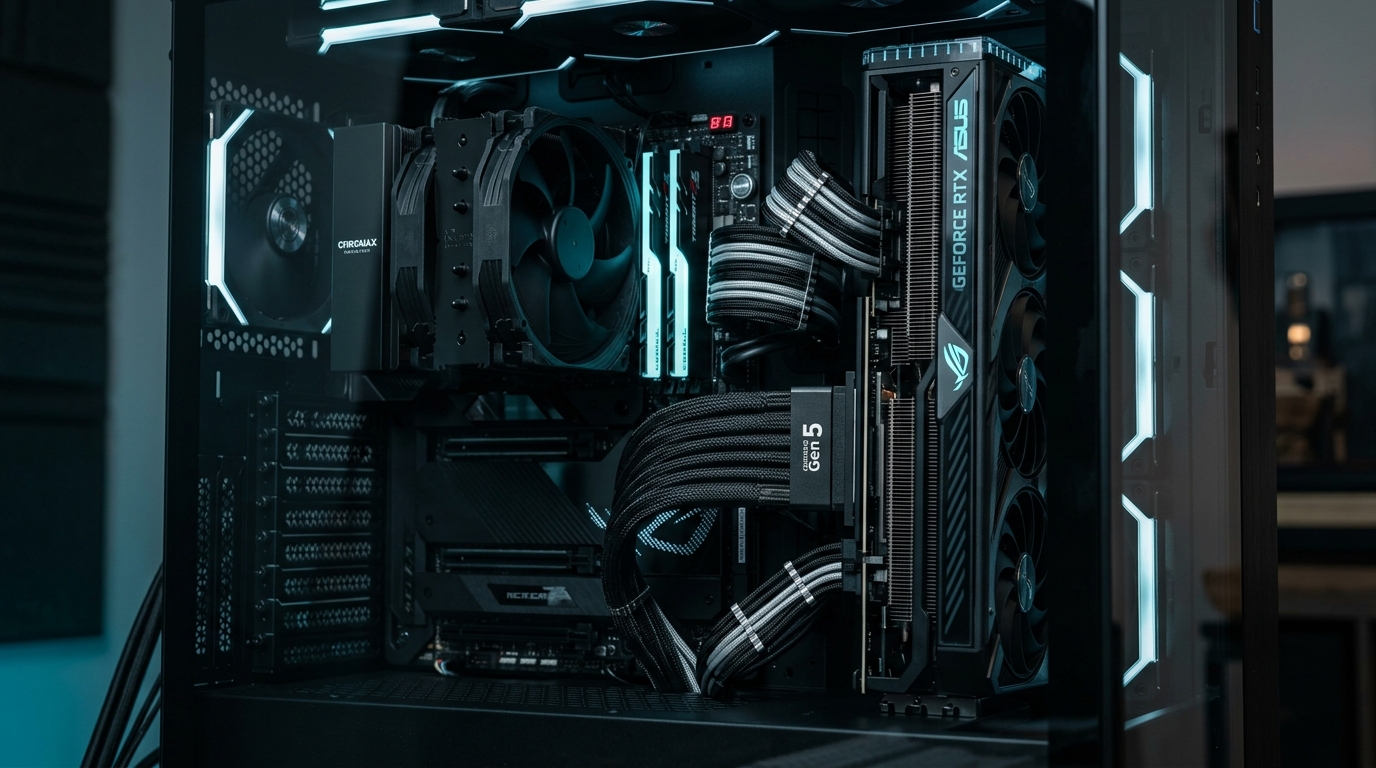
⚡ Executive Hardware Audit: 32 GT/s Signal Integrity
- Frequency Escalation: PCIe 5.0 operates at a blistering 32 GT/s transfer rate (16 GHz Nyquist frequency), cutting allowable signal attenuation tolerances in half compared to Gen 4.
- The EMI Cross-Talk Hazard: Inadequately shielded ribbon cables routing next to high-wattage power supply cables suffer packet retries and system WHEA 17 errors.
- Performance Delta: High-quality multi-layer shielded Gen 5 cables demonstrate 0.2% performance variance vs. direct motherboard slot connection.
- Length Constraints: Passive Gen 5 riser cables degrade severely beyond 200mm without active redriver chips.
Vertical GPU mounting has transformed from an exotic custom water-cooling aesthetic into a standard showcase feature of high-end desktop chassis. As graphics cards have expanded into massive 3.5-slot, 2.5-kilogram heatsink monsters (such as the RTX 4090 and RTX 50-series flagships), vertical mounting also prevents severe PCB sagging and long-term PCIe slot stress.
However, transitioning from PCIe 4.0 to PCIe 5.0 has introduced severe physical transmission challenges. At 32 Gigatransfers per second (GT/s), digital signals behave essentially like high-frequency microwave radio waves. Routing these signals across a 150mm to 200mm flexible copper cable without inducing packet corruption, thermal degradation, or electromagnetic interference (EMI) requires aerospace-grade manufacturing.
1. Signal Attenuation & Eye Diagram Margins
In digital signal engineering, signal health is measured via an “Eye Diagram”—a graphical representation of voltage over time. At PCIe 4.0 (16 GT/s), the eye opening is wide enough to tolerate minor copper imperfections. At PCIe 5.0 (32 GT/s), the eye height shrinks to just 10 to 15 millivolts.
| Mounting Configuration | Signal Loss (dB at 16 GHz) | WHEA Bus Errors (24hr Stress) | 3DMark Time Spy Extreme (FPS) |
|---|---|---|---|
| Direct Motherboard Slot (Baseline) | -2.1 dB | 0 Errors | 142.4 FPS |
| Premium Shielded Gen 5 Riser (150mm) | -4.6 dB | 0 Errors | 142.1 FPS (-0.2%) |
| Budget Unshielded Gen 5 Riser (200mm) | -9.8 dB | 412 Errors (Retries) | 134.8 FPS (-5.3%) |
| Gen 4 Riser Forced to Gen 5 Link | -14.2 dB | System Crash / BSOD | N/A (Driver Fallback) |
When an inferior cable suffers packet attenuation, the PCIe protocol does not immediately crash—it commands hardware retransmissions (replay buffers), creating intermittent micro-stutters and 1% low frame-rate drops. When building extreme multi-GPU workstations, pair this with our guide on multi-GPU local LLM inference and tensor parallelism in 2026.
2. Power Delivery & ATX 3.1 PSU Proximity
A standard x16 PCIe slot supplies up to 75 watts of direct power through copper trace pins. When routing a flexible riser cable directly behind a 1000W+ power supply, high alternating magnetic fields from switching transformers can induce significant EMI into unshielded data pairs.
Always choose riser cables built with silver-plated copper twinaxial wires and individual ground shielding between differential pairs. Furthermore, ensure your power delivery adheres to modern standards by reviewing our analysis of ATX 3.1 & PCIe 5.1 power supplies and the 12V-2×6 connector to eliminate cable melting risks.
Senior Analyst’s Verdict
Vertical GPU mounting in the PCIe 5.0 generation is entirely viable—provided you purchase an independently certified, multi-layer shielded cable under 200mm in length (such as Linkup AVA5 or Cooler Master Gen 5). Do not attempt to reuse older PCIe 4.0 riser cables on a PCIe 5.0 slot without manually locking the BIOS link speed to Gen 4.
People Also Ask (PAA)
Can I use a PCIe 4.0 riser cable with a PCIe 5.0 GPU?
Yes, but you must enter your motherboard BIOS prior to installation and manually set the PCIe x16 slot link speed to “Gen 4”. Leaving the slot on “Auto” will attempt a Gen 5 handshake that leads to black screens, boot loops, or severe WHEA errors.
Does vertical GPU mounting hurt temperatures?
Only if the GPU fans are pressed directly against the tempered glass side panel (< 25mm clearance). In modern chassis featuring dedicated offset vertical brackets with at least 50mm of clearance, vertical GPU temperatures are within 1°C to 2°C of horizontal orientation.
Do PCIe riser cables add input lag to gaming?
No. Electrical signals travel through copper at approximately 65% the speed of light (~200,000 km/s). Traversal across a 200mm cable adds less than 1 nanosecond of transmission latency—completely imperceptible to human perception or display output.