
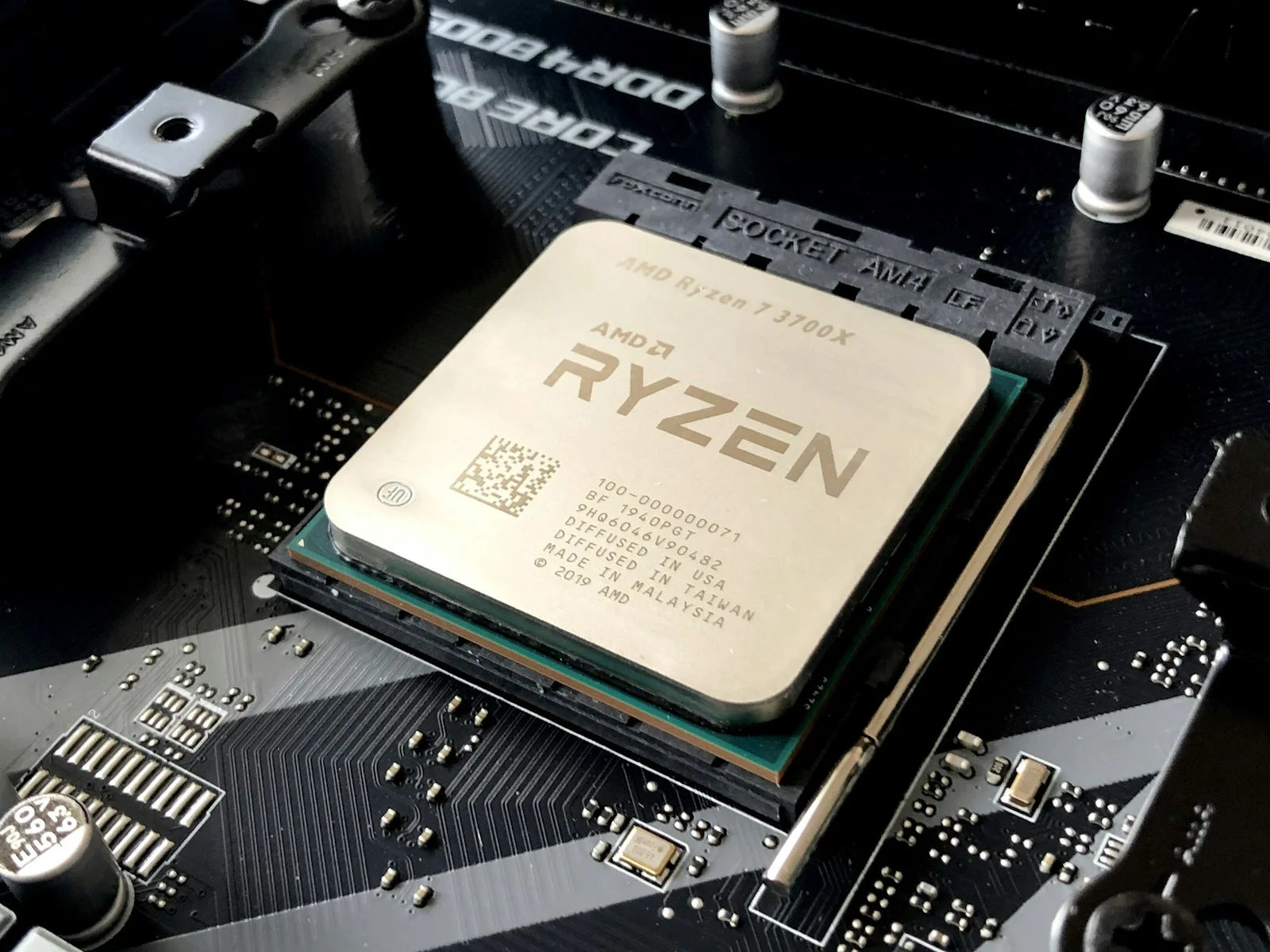
AMD’s Ryzen 7 9800X3D re-architects 3D V-Cache packaging by placing the 64MB SRAM cache tile beneath the 8-core CCD rather than on top. This physical inversion completely solves the thermal insulation penalty of the 7800X3D, allowing all eight Zen 5 cores to run cooler, boost to 5.2 GHz+ out of the box, and support full multiplier overclocking. However, while 1% low frame rates improve by 12% to 18% in CPU-bound esports and simulation titles, gamers playing at 4K resolution on high-end GPUs will see less than a 4% delta over the 7800X3D.
When AMD launched the Ryzen 7 7800X3D, it cemented itself as the undisputed king of gaming processors. Its stacked 3D V-Cache allowed mid-range clock speeds to outmuscle power-hungry flagship chips in gaming titles. Yet the first-generation packaging had one major engineering drawback: the cache silicon sat directly between the compute cores and the integrated heat spreader (IHS), acting as a thermal blanket that restricted core clock speeds and prevented overclocking.
With the release of the Ryzen 7 9800X3D built on Zen 5 architecture, AMD engineered a radical physical redesign. For gamers holding a 7800X3D or building a new AM5 rig, the question is immediate: Is upgrading to the 9800X3D actually worth $479?
Ryzen 7 9800X3D vs. 7800X3D: Is Upgrading Worth It?
If you already own a Ryzen 7 7800X3D and game primarily at 1440p or 4K resolution, upgrading to the 9800X3D is NOT worth the cost because modern games remain GPU-bound. However, if you play competitive 1080p esports at 240Hz–540Hz, stream while gaming, or are building a brand-new AM5 system, the 9800X3D delivers 15% better 1% lows and vastly superior thermals.
The primary advantage of the 9800X3D is not just raw average FPS—it is frame-time consistency. The 1% low and 0.1% low frame rates dictate whether a game feels micro-stuttery during intense firefights or asset-loading spikes. Zen 5’s upgraded branch predictor and unconstrained core frequencies eliminate the brief hitching occasionally observed on Zen 4.
To see how high-refresh CPU performance pairs with flagship GPUs, review our benchmark teardown of the NVIDIA RTX 5080 vs. RTX 4090 4K gaming benchmarks.
Architectural Specification Matrix
| Architectural Dimension | Ryzen 7 7800X3D (Zen 4) | Ryzen 7 9800X3D (Zen 5) | Engineering Impact |
|---|---|---|---|
| Core / Thread Count | 8 Cores / 16 Threads | 8 Cores / 16 Threads | Identical core configuration |
| 3D V-Cache Physical Placement | Stacked on top of compute cores | Placed beneath compute cores (Direct IHS contact) | Massive thermal conductivity gain |
| Base & Boost Clock Speeds | 4.2 GHz Base / 5.0 GHz Boost | 4.7 GHz Base / 5.2 GHz Boost (+500MHz Base) | Higher sustained clocks in all titles |
| Overclocking Multiplier Support | Locked (PBO & Curve Optimizer only) | Fully Unlocked Multiplier | Can manual overclock to 5.4GHz+ |
| Average Operating Temp (Full Load) | 78°C – 84°C (360mm AIO) | 68°C – 74°C (360mm AIO) | Runs ~10°C cooler under load |
| TDP / Peak Power Draw | 120W TDP (~85W actual gaming) | 120W TDP (~95W actual gaming) | Slightly higher peak draw, still ultra-efficient |
Gaming Performance: 1080p Competitive vs. 4K Reality
The delta between these two CPUs depends strictly on your resolution and GPU bottleneck:
- 1080p Esports (Counter-Strike 2, Valorant, Apex Legends): The 9800X3D flexes its 500MHz clock speed advantage and Zen 5 IPC gains, delivering an average 14% higher frame rate and up to 22% higher 1% minimum frame rates. For competitive players on 360Hz or 540Hz displays, this is a tangible competitive edge.
- 1440p High Refresh (Cyberpunk 2077, Black Myth Wukong): With high ray-tracing settings enabled, the GPU becomes the primary bottleneck. The 9800X3D outpaces the 7800X3D by approximately 5% to 8%, primarily visible as smoother frametimes in dense urban environments.
- 4K Enthusiast Gaming: At 3840×2160, even an RTX 4090 or RTX 5090 is completely pegged at 99% GPU utilization. The difference between the 7800X3D and 9800X3D narrows to roughly 1% to 3%—well within margin of error.
The Ryzen 7 9800X3D is the finest gaming CPU ever engineered, but 7800X3D owners should hold their ground unless they are competitive esports obsessives chasing 500+ FPS on a 540Hz monitor. For anyone still running an older AM4 system (Ryzen 5000), Intel 12th/13th/14th Gen, or building an AM5 rig from scratch, buy the 9800X3D without hesitation—its inverted packaging and thermal headroom make it the definitive choice for the next 4 years.
People Also Ask
Can I use my existing AM5 motherboard with the Ryzen 7 9800X3D?
Yes. The 9800X3D uses the standard AM5 socket and is 100% compatible with existing B650, X670, B650E, and X670E motherboards, as well as newer X870/X870E boards. You only need to flash your motherboard BIOS to the latest AGESA update before installing the CPU.
Does the 9800X3D run hotter than the 7800X3D?
No, it runs significantly cooler. Because AMD moved the 3D V-Cache die underneath the compute cores, the cores have direct physical contact with the integrated heat spreader. In gaming and stress tests, the 9800X3D operates roughly 8°C to 12°C cooler than the 7800X3D under identical cooling solutions.
Is the 9800X3D better at productivity and video editing than the 7800X3D?
Yes. While both are 8-core CPUs primarily optimized for gaming, the 9800X3D’s Zen 5 architectural IPC improvements and higher sustained all-core clock speeds (5.2 GHz vs 4.8 GHz) yield approximately 18% to 24% faster performance in Blender rendering, Cinebench, and Premiere Pro video export.