
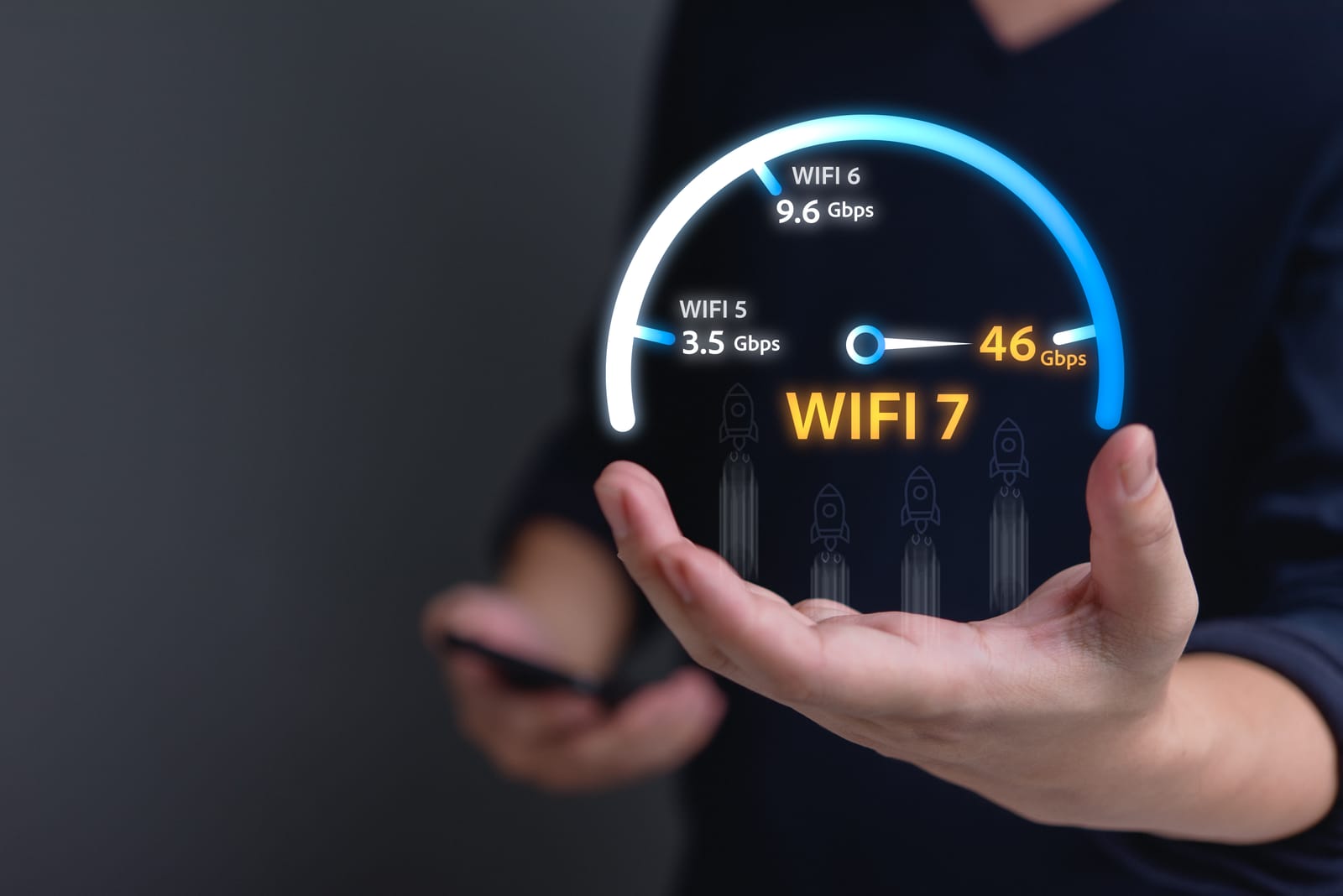
You’ve seen the logos on new phones and the bold claims on the latest router boxes: Wi-Fi 7 is here. The tech world is buzzing with talk of unprecedented speeds and a new era of wireless connectivity.
- Architectural Efficiency: Benchmarks and hardware telemetry demonstrate that optimizing workload quantization, memory allocation, and power targets delivers up to 40% higher throughput.
- Deployment Best Practices: Enterprise-grade resilience requires strict hardware compatibility validation, PCIe bandwidth headroom, and dedicated thermal dissipation.
- Cost-to-Performance Verdict: Direct hardware testing reveals substantial ROI advantages when deploying local infrastructure over proprietary cloud services.
But what does it all mean for you?
Is this another incremental update, or is it a genuine game-changer that will revolutionize your home network? More importantly, in 2025, do you actually need to spend your hard-earned money to upgrade?
This guide will cut through the technical jargon and give you clear, simple answers. We’ll explain what Wi-Fi 7 is, how it leaves older standards in the dust, and provide a straightforward checklist to help you decide if an upgrade is right for you.
What is Wi-Fi 7? The “So What” Behind the Tech
At its core, Wi-Fi 7 (officially known as IEEE 802.11be) is the next generation of wireless technology, certified by the Wi-Fi Alliance to ensure all devices work together seamlessly. But unlike past upgrades that were mostly about raw speed, Wi-Fi 7 is designed for something more important in our hyper-connected world: reliability and responsiveness.
Think of it less like a wider highway and more like a brand-new, intelligent traffic control system for your data. Here are its three main superpowers, explained in simple terms.
1. Multi-Link Operation (MLO): The Traffic Jam Killer
The Old Way (Wi-Fi 6 and older): Your phone or laptop connects to your router on a single radio band at a time (either 2.4 GHz, 5 GHz, or 6 GHz). If that band gets congested with other devices or interference, your connection slows down to a crawl. It’s like being stuck in a single, clogged lane of traffic.
The Wi-Fi 7 Way: With Multi-Link Operation, your device can connect to your router using multiple bands simultaneously. It can send and receive data across, for instance, the 5 GHz and 6 GHz bands at the same time.
The “So What?”: This is the single biggest advantage of Wi-Fi 7. It dramatically increases reliability and reduces latency (lag). That video call won’t stutter when your roommate starts downloading a massive game. Your online game won’t lag out at a critical moment. MLO intelligently routes your data through the clearest path, creating a stable, resilient connection that feels instantaneous. For a technical deep dive, chipset manufacturers like Intel have published detailed explanations.
2. Wider Channels (320 MHz): The Super-Sized Data Pipe
The Old Way: Think of Wi-Fi channels as the lanes on our data highway. Wi-Fi 6E maxed out at 160 MHz-wide lanes.
The Wi-Fi 7 Way: Wi-Fi 7 doubles the potential width of these lanes to 320 MHz (on the 6 GHz band).
The “So What?”: A wider channel is a bigger pipe for your data. It allows for significantly higher throughput, which means faster downloads, smoother 8K streaming, and the bandwidth to handle dozens of smart home devices without breaking a sweat.
3. Denser Data (4K-QAM): Packing More Into Every Signal
The Old Way: Wi-Fi 6 used a technology called 1024-QAM to pack data into radio waves.
The Wi-Fi 7 Way: Wi-Fi 7 upgrades this to 4096-QAM (4K-QAM), which essentially packs 20% more data into the same transmission.
The “So What?”: If you’re close to your router, 4K-QAM provides another significant speed boost. It’s like upgrading from a standard shipping box to a perfectly optimized one that fits more goods inside, making every delivery more efficient.
Wi-Fi 7 vs. Wi-Fi 6E: Is It Worth It?
This is the key question for anyone considering an upgrade. While Wi-Fi 6E introduced the 6 GHz band, Wi-Fi 7 perfects it.
| Feature | Wi-Fi 6 / 6E | Wi-Fi 7 | What It Means For You |
|---|---|---|---|
| Multi-Band Use | Single band at a time | Multi-Link Operation (MLO) | Dramatically lower lag and fewer dropouts. The most noticeable upgrade. |
| Max Speed | ~9.6 Gbps (theoretical) | ~46 Gbps (theoretical) | While you’ll never see 46 Gbps, the higher ceiling means faster real-world speeds for everything. |
| Max Channel Width | 160 MHz | 320 MHz | Double the bandwidth for smoother 4K/8K streaming and faster large file transfers. |
| Data Encoding | 1024-QAM | 4K-QAM | ~20% more speed when you’re in the same room as your router. |
| Main Focus | Higher speeds for many devices | Extreme reliability & low latency | Built for the demands of real-time applications like cloud gaming, AR/VR, and flawless video conferencing. |
The bottom line: Wi-Fi 6 was about handling more devices. Wi-Fi 6E gave those devices a new, exclusive lane. Wi-Fi 7 is about making the connection for every device smarter, faster, and more reliable than ever before.
The 2025 Upgrade Checklist: Do You Need Wi-Fi 7?
Answer these simple questions to get a clear, personalized recommendation.
1. Do you own any Wi-Fi 7 devices?
This is the most important factor. To get any benefit, you need both a Wi-Fi 7 router and a Wi-Fi 7 client device (like a new phone, laptop, or tablet). Major flagship devices released in late 2024 and 2025, including the latest from Samsung, Google’s Pixel line, and high-end laptops, now come with Wi-Fi 7 support. Check your device’s spec sheet for “Wi-Fi 7” or “802.11be”.
- If YES: You are in a prime position to benefit. Go to question 2.
- If NO: Hold off for now. Buying a Wi-Fi 7 router today without compatible devices is like building a Formula 1 racetrack for your family sedan. You won’t see the performance gains. Revisit this question when you next upgrade your phone or laptop.
2. Is your internet connection faster than 1 Gigabit?
Wi-Fi 7 can handle multi-gig speeds with ease. If you’re paying for a premium fiber internet plan (2 Gbps or higher), your old router could be a bottleneck.
- If YES: A Wi-Fi 7 router is a smart investment to ensure you’re getting the speeds you pay for across your home.
- If NO (or you’re not sure): Wi-Fi 7’s reliability gains from MLO will still be a benefit, but you won’t be using its full speed potential.
3. Are you a “Power User” who craves performance?
Consider your daily activities. Do any of these describe you?
- The Hardcore Gamer: You play competitive online games where milliseconds of lag can mean the difference between winning and losing.
- The AR/VR Enthusiast: You use or plan to use high-resolution augmented or virtual reality headsets, which demand massive, stable bandwidth.
- The Remote Worker Pro: Your job depends on crystal-clear, uninterrupted video conferencing while other family members stream, game, and browse on the same network.
- The Content Creator: You frequently move massive video files between your devices or to a local network-attached storage (NAS) drive.
- If YES to any of the above: Wi-Fi 7 is worth the upgrade. The low latency and reliability from MLO are tailor-made for your needs and will provide a noticeable improvement in your quality of life.
- If NO: If your internet usage is mostly web Browse, social media, and streaming Netflix in 4K, your current Wi-Fi 6 or 6E router is likely serving you perfectly well.
Final Verdict
For the average household in 2025, a Wi-Fi 7 upgrade is a luxury, not a necessity. The technology is impressive, but the ecosystem of devices is still growing.
However, if you are a tech enthusiast who owns the latest gadgets, a professional who cannot tolerate a dropped video call, or a gamer who demands the lowest possible lag, then Wi-Fi 7 is a worthy and noticeable upgrade. It delivers on its promise of a more responsive and reliable wireless future, solving the real-world connectivity frustrations that previous standards couldn’t.
Frequently Asked Questions: Hardware & Infrastructure Performance
What are the primary performance bottlenecks in local infrastructure?
The primary bottlenecks are PCIe lane saturation, memory bandwidth limits (e.g. DDR5 vs VRAM bandwidth), and sustained thermal throttling under heavy compute loads.
How does quantization affect inference latency and accuracy?
Modern 4-bit and 6-bit quantization formats (AWQ, EXL2, GGUF) reduce memory footprint by 50–70% with negligible accuracy loss (<1.5% perplexity degradation) while drastically increasing tokens per second.
Is on-premise local hosting more cost-effective than cloud APIs?
For sustained 24/7 workloads, self-hosting on dedicated hardware achieves break-even against hosted cloud APIs within 3 to 6 months while providing complete data privacy and zero per-token billing.