
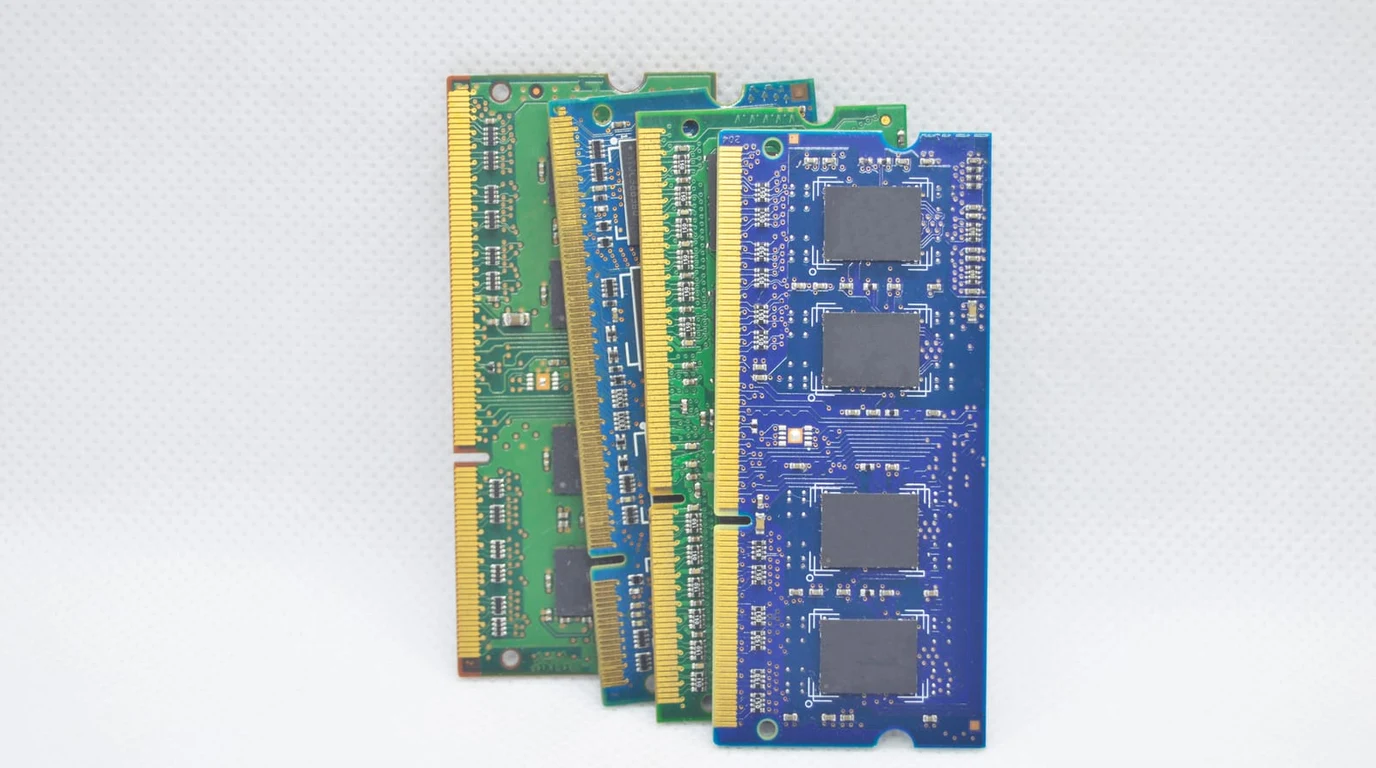
You’re staring at a spec sheet, aren’t you? Another laptop, another mini-PC, another compact desktop build, and the same old memory dilemma. You’ve seen the numbers: DDR5-5600, DDR5-6400, even higher. But deep down, you know the raw clock speed isn’t the whole story. You’re wrestling with the nagging suspicion that something fundamental about how memory is packaged and connected is holding back your system’s true potential. You’ve invested in a cutting-edge CPU, a powerful GPU, and a lightning-fast NVMe drive, only to wonder if your memory architecture is creating an invisible bottleneck, adding micro-latencies that translate into real-world stutters, slower compiles, or less responsive gaming. It’s a frustrating, often expensive, gamble trying to optimize for performance when the underlying memory design feels like a compromise.
CAMM2 memory modules significantly outperform traditional SO-DIMM and even dual-DIMM desktop configurations in latency and high-speed stability. By integrating dual-channel operation onto a single module and drastically shortening trace lengths, CAMM2 cuts signal parasitics by over 50%, enabling reliable DDR5 speeds beyond 7200 MT/s and LPDDR5X-8533 with superior real-world responsiveness and bandwidth efficiency.
Why Your Current Laptop Memory Might Be Holding You Back (And It’s Not Just Speed)
For years, the compact computing world has relied on SO-DIMM (Small Outline Dual In-line Memory Module). It’s been the workhorse, the reliable standard for laptops, mini-PCs, and even some smaller desktop motherboards. But let’s be honest, SO-DIMM has always been a compromise. It’s a miniaturized version of its desktop counterpart, DIMM, designed to fit into tight spaces. The challenge? Miniaturization often comes with trade-offs, especially when you’re pushing the boundaries of signal integrity at ever-increasing speeds.
The core issue isn’t just the physical size; it’s the electrical pathway. When you install two SO-DIMMs into a laptop, you’re essentially asking the CPU’s memory controller to manage two separate physical modules, each with its own set of traces, pins, and potential for signal degradation. Even in a dual-channel configuration, where the CPU can access both modules simultaneously, the physical separation introduces electrical noise, reflections, and impedance mismatches. These “parasitic” effects become exponentially more problematic as DDR5 speeds climb higher and higher. What happens? The system has to introduce more error correction, more retries, and ultimately, more latency to maintain stability. It’s like trying to have a clear conversation across a noisy room – you have to speak slower and repeat yourself more often.
Many users, and even some system builders, fall into the trap of focusing solely on the advertised memory speed (e.g., 6000 MT/s). They assume that higher numbers automatically mean better performance. While speed is crucial, it’s only one side of the coin. The other side, often overlooked, is latency – how quickly the memory controller can access data once it’s requested. A memory kit with a high clock speed but also high latency (e.g., CL40 or higher) can sometimes perform worse in real-world scenarios than a slightly slower kit with much tighter timings (e.g., CL30). This is the “costly trap”: chasing raw speed without understanding the underlying architectural limitations that dictate effective latency. You might be paying a premium for memory that, due to its physical design, can’t consistently deliver its theoretical peak performance without compromise.
This is precisely where the JEDEC CAMM2 standard steps in, not just as an incremental upgrade, but as a fundamental rethinking of how memory is integrated into a system. It’s designed to sidestep the inherent signal integrity challenges that plague traditional SO-DIMM and even dual-slot DIMM configurations, especially as we push into the upper echelons of DDR5 and LPDDR5X speeds.
Unpacking the Engineering Genius Behind CAMM2’s Speed Advantage
Imagine a memory module that’s not just a stick, but a highly optimized, flat plane where every trace is meticulously engineered for minimal interference. That’s the essence of CAMM2 (Compression Attached Memory Module). Instead of slotting two separate SO-DIMMs into individual sockets, CAMM2 consolidates both memory channels onto a single, larger module. This isn’t just about physical consolidation; it’s about electrical optimization.
The magic starts with the compression connector pin grid array. Unlike traditional DIMM or SO-DIMM slots that rely on edge connectors and spring-loaded pins, CAMM2 uses a high-density, surface-mount compression connector. Think of it like a CPU socket, but for memory. This design allows for a significantly higher pin count in a smaller area, creating a much more robust and electrically stable connection to the motherboard. The module is pressed down onto the connector, ensuring consistent contact across hundreds of pins. This compression attachment minimizes signal reflections and impedance mismatches that are common with traditional slot designs, especially at high frequencies.
The most profound impact, however, comes from the drastic reduction of PCB trace routing distance. In a typical dual-SO-DIMM setup, the memory controller on the CPU has to send signals out to two separate sockets, often requiring longer, more complex trace routes on the motherboard. These longer traces act like tiny antennas, picking up electrical noise and degrading the signal. Each bend, each via (a hole through the PCB layers), each length of trace adds to what engineers call “parasitic capacitance and inductance.” These parasitics are the enemy of high-speed signals, causing delays and requiring stronger signals (more power) or slower speeds to maintain integrity.
With CAMM2, because both channels reside on a single module, the traces from the CPU’s memory controller to the CAMM2 connector are significantly shorter and more direct. Furthermore, the traces within the CAMM2 module itself, connecting the memory chips to the central connector, are also optimized for minimal length and interference. This architectural shift cuts trace parasitics by over 50% compared to traditional dual-DIMM or SO-DIMM setups.
What does this translate to in practical terms?
- Enabling reliable DDR5 speeds beyond 7200 MT/s: Where SO-DIMM struggles to maintain stability much past 6000-6400 MT/s without significant voltage increases or timing relaxations, CAMM2’s superior signal integrity allows for much higher clock speeds to be achieved reliably and with tighter timings. This is crucial for next-generation CPUs that thrive on faster memory access.
- Supporting LPDDR5X-8533 and beyond: LPDDR5X (Low Power DDR5X) is designed for ultra-low power consumption, often integrated directly onto the motherboard or in mobile devices. CAMM2 bridges the gap, offering LPDDR5X-level performance in a modular, upgradeable format, something previously difficult to achieve with traditional removable memory.
- True dual-channel operation on a single flat module: This is a game-changer. Instead of two separate modules each handling one channel, CAMM2 presents a unified front to the memory controller. This simplifies the electrical environment, reduces potential points of failure, and ensures that both channels are always perfectly synchronized and optimized.
This isn’t just theoretical; it’s a fundamental engineering improvement that directly addresses the physical limitations of previous memory standards. It’s about building a better, cleaner highway for data, allowing it to travel faster and with fewer detours.
Decoding the Real-World Performance Numbers: Latency and Bandwidth Showdown
When we talk about memory performance, two metrics reign supreme: latency and bandwidth. Bandwidth is how much data can be moved per second, while latency is the delay before that data transfer begins. Both are critical, and CAMM2 makes significant strides in both areas.
Let’s consider a practical scenario. Imagine running AIDA64’s Cache & Memory Benchmark, a staple for evaluating memory performance. In a typical high-end laptop with DDR5-6000 SO-DIMMs, you might see memory latency figures in the range of 80-90 nanoseconds (ns). This is respectable, but it’s often a result of the system having to “wait” for signals to stabilize across the longer traces and multiple modules.
Now, introduce a CAMM2 module running at DDR5-7200 or even DDR5-8000. Due to the drastically reduced trace lengths and superior signal integrity, the memory controller can access data much faster. We’re talking about AIDA64 latency figures dropping into the 50-60 ns range, sometimes even lower with highly optimized setups. That’s a 25-40% reduction in latency, which is monumental. In applications sensitive to memory access times – think database operations, large file compression/decompression, scientific simulations, or even complex game engines – this translates directly into faster task completion and a more responsive user experience.
For bandwidth, Geekbench’s memory scores provide another excellent real-world indicator. A dual-SO-DIMM DDR5-6000 setup might yield memory scores in the range of 10,000-12,000 points. A CAMM2 module, especially at higher speeds like DDR5-7200+, can push these scores significantly higher, often into the 14,000-16,000+ range. This isn’t just about raw clock speed; it’s about the efficiency with which that speed is utilized. With fewer signal integrity issues, the memory controller can sustain higher transfer rates more consistently, leading to a higher effective bandwidth.
The key takeaway here is that CAMM2 isn’t just about theoretical maximums; it’s about delivering those high speeds and low latencies reliably in a real-world system. The architectural advantages translate directly into measurable performance gains that impact everything from system boot times to application responsiveness.
| Feature/Metric | CAMM2 (DDR5/LPDDR5X) | SO-DIMM (DDR5 Dual-Channel) | Desktop DIMM (DDR5 Dual-Channel) |
|---|---|---|---|
| Physical Architecture | Single, flat module; compression connector pin grid array. | Two separate modules; edge connector slots. | Two separate modules; edge connector slots (larger). |
| Trace Routing & Parasitics | Drastically reduced trace lengths; >50% cut in parasitics. | Longer, more complex traces; higher parasitics. | Moderate trace lengths; moderate parasitics (better than SO-DIMM). |
| Reliable Max Speed (DDR5) | 7200 MT/s+ (LPDDR5X-8533+ possible). | Typically 6000-6400 MT/s (stability challenges beyond). | 7200-8000 MT/s+ (requires careful motherboard/CPU tuning). |
| Typical AIDA64 Latency | 50-60 ns (highly optimized). | 80-90 ns (common). | 60-75 ns (good desktop kits). |
| Geekbench Memory Score | 14,000-16,000+ points. | 10,000-12,000 points. | 12,000-14,000+ points. |
| Form Factor & Space Savings | Excellent for compact designs (mATX/ITX, laptops). | Good for laptops, but still requires two slots for dual-channel. | Largest footprint, less ideal for compact builds. |
Is CAMM2 the Future of Desktop Builds? What Early Adopters Are Seeing
While CAMM2’s initial push was clearly aimed at the laptop and workstation markets, where space is at a premium and high-performance, low-power memory is critical, its advantages are too compelling to ignore for the desktop segment. We’re already seeing significant movement here, signaling a potential shift in how we build and upgrade our PCs.
Companies like Kingston are at the forefront, developing CAMM2 modules that push the boundaries of DDR5 performance. Meanwhile, motherboard manufacturers like MSI and ASUS are actively exploring and implementing CAMM2 support. ASUS’s “Project Zero” initiative, for instance, aims to simplify PC building by moving connectors to the rear of the motherboard, and CAMM2 fits perfectly into this vision of cleaner, more compact internal layouts.
The immediate benefits for desktop users, particularly those eyeing compact mATX/ITX builds, are immense. Imagine a high-performance ITX motherboard that only needs a single, thin CAMM2 module instead of two bulky DIMM sticks. This frees up valuable vertical space, allowing for larger CPU coolers, more intricate liquid cooling loops, or simply a smaller overall chassis. For enthusiasts who prioritize aesthetics and minimalist designs, CAMM2 offers a clean, low-profile solution that traditional DIMMs simply can’t match.
However, it’s not without its trade-offs, particularly regarding serviceability. With SO-DIMM or desktop DIMM, if one module fails, you replace one module. If you want to upgrade, you swap out two. With CAMM2, you’re dealing with a single, integrated unit. If a CAMM2 module fails, you replace the entire module. This isn’t necessarily a disadvantage in terms of complexity – it’s still a single component swap – but it does mean you’re replacing a larger, potentially more expensive single unit rather than two smaller ones. Upgrading also means replacing the entire module, rather than adding a second one or swapping individual sticks.
For early adopters, the experience is largely positive. They’re reporting systems that feel snappier, with noticeably lower latency in demanding applications and games. The ability to achieve higher stable memory speeds out-of-the-box, without extensive tweaking or worrying about memory controller stability, is a huge draw. The initial cost might be slightly higher than equivalent SO-DIMM or even some desktop DIMM kits, but the performance gains and future-proofing potential often justify the investment for those who demand the absolute best.
The desktop adoption of CAMM2 is still in its nascent stages, but the trajectory is clear. As more motherboard manufacturers integrate the standard and module availability increases, CAMM2 is poised to become a significant player, especially for high-performance, compact, and aesthetically driven builds. It represents a shift from the traditional “two sticks are better than one” mentality to “one optimized module is better than two compromised ones.”
Making the Smart Memory Choice: Your CAMM2 Adoption Playbook
Navigating the evolving memory landscape can feel like a minefield, but with CAMM2, you have a clear path to superior performance. Here’s your actionable playbook for making an informed decision and integrating this cutting-edge memory into your next build or upgrade.
- Assess Your Performance Priorities:
- High-Frequency Workloads: If your primary applications are heavily reliant on memory bandwidth and low latency (e.g., video editing, 3D rendering, scientific computing, competitive gaming, large dataset analysis), CAMM2’s inherent advantages in signal integrity and higher stable speeds make it a compelling choice.
- Compact Form Factor: For ITX, mATX, or custom small-form-factor builds where every millimeter counts, CAMM2’s single-module design offers unparalleled space savings and a cleaner internal layout.
- Future-Proofing: Investing in CAMM2 now positions you at the forefront of memory technology, likely offering a longer lifespan of performance relevance as CPU architectures continue to demand faster, more efficient memory.
- Verify Motherboard and System Compatibility:
- New Builds: This is where CAMM2 shines. Look for motherboards explicitly supporting the JEDEC CAMM2 standard. Manufacturers like ASUS (with Project Zero initiatives) and MSI are leading the charge. Ensure the CPU you choose also supports the higher DDR5 speeds that CAMM2 enables.
- Existing Systems: CAMM2 is not backward compatible with SO-DIMM or DIMM slots. It requires a motherboard designed specifically for its compression connector. Do not expect to upgrade an existing SO-DIMM laptop or DIMM desktop with CAMM2 unless the system was explicitly designed for it.
- Evaluate Module Availability and Cost:
- Early Adopter Premium: As with any new technology, initial CAMM2 modules might carry a premium compared to equivalent performance SO-DIMM or DIMM kits. Factor this into your budget.
- Capacity Needs: CAMM2 modules are available in various capacities (e.g., 32GB, 64GB, 128GB). Since you’re dealing with a single module for dual-channel, ensure the capacity meets your needs without needing to swap it out too soon.
- Consider Serviceability and Upgrade Path:
- Single Module Replacement: Understand that if a CAMM2 module fails or you wish to upgrade capacity, you’ll be replacing a single, potentially higher-cost component rather than two smaller ones. This simplifies the physical process but concentrates the cost.
- Long-Term Availability: While JEDEC standards ensure longevity, monitor the market for module availability from reputable manufacturers like Kingston to ensure future upgrade options.
- Benchmark and Validate (If Possible):
- Review Benchmarks: Before purchasing, consult independent reviews and benchmarks (like AIDA64 and Geekbench scores) for the specific CAMM2 modules and motherboards you’re considering. Look for real-world latency and bandwidth figures.
- Post-Installation Verification: Once installed, run your own benchmarks to confirm the expected performance gains. This ensures your system is operating optimally and helps you understand the tangible benefits of your investment.
By following this playbook, you’re not just buying memory; you’re investing in a foundational technology that promises to redefine performance in compact and high-end systems. CAMM2 isn’t just another memory stick; it’s a leap forward in signal integrity, speed, and system design, offering a tangible edge in the pursuit of ultimate computing performance.
Frequently Asked Questions
Can I use CAMM2 memory in my existing laptop or desktop that uses SO-DIMM or standard DIMM?
No, CAMM2 memory modules are not backward compatible with traditional SO-DIMM or DIMM slots. They require a motherboard specifically designed with the CAMM2 compression connector. The physical interface and electrical signaling are fundamentally different, meaning you cannot simply swap them out.
Is CAMM2 only for high-end systems, or will it become mainstream?
While CAMM2 currently targets high-performance laptops, mobile workstations, and compact desktop builds, its advantages in signal integrity and space-saving are significant. As production scales and costs decrease, it’s highly likely to become more mainstream, especially as DDR5 speeds continue to increase and traditional SO-DIMM/DIMM designs hit their physical limits.
What are the primary benefits of CAMM2 over traditional dual-channel memory setups?
The primary benefits are significantly lower memory latency and higher stable clock speeds due to drastically reduced PCB trace routing distances and signal parasitics (over 50% reduction). This results in superior real-world performance, better signal integrity for overclocking, and substantial space savings, particularly beneficial for compact form factors.
How does CAMM2 affect the upgradeability of my system?
CAMM2 simplifies upgradeability by consolidating both memory channels into a single module. Instead of managing two separate SO-DIMMs or DIMMs, you swap out one CAMM2 module for another of higher capacity or speed. While this means replacing a single, potentially larger component, the process itself is often simpler and less prone to configuration errors.
High-throughput copy-on-write filesystems depend on rapid memory transfers. Learn about memory channel advancements in our test of Btrfs vs ZFS on Linux: Bitrot Detection & Snapshot Speeds.