
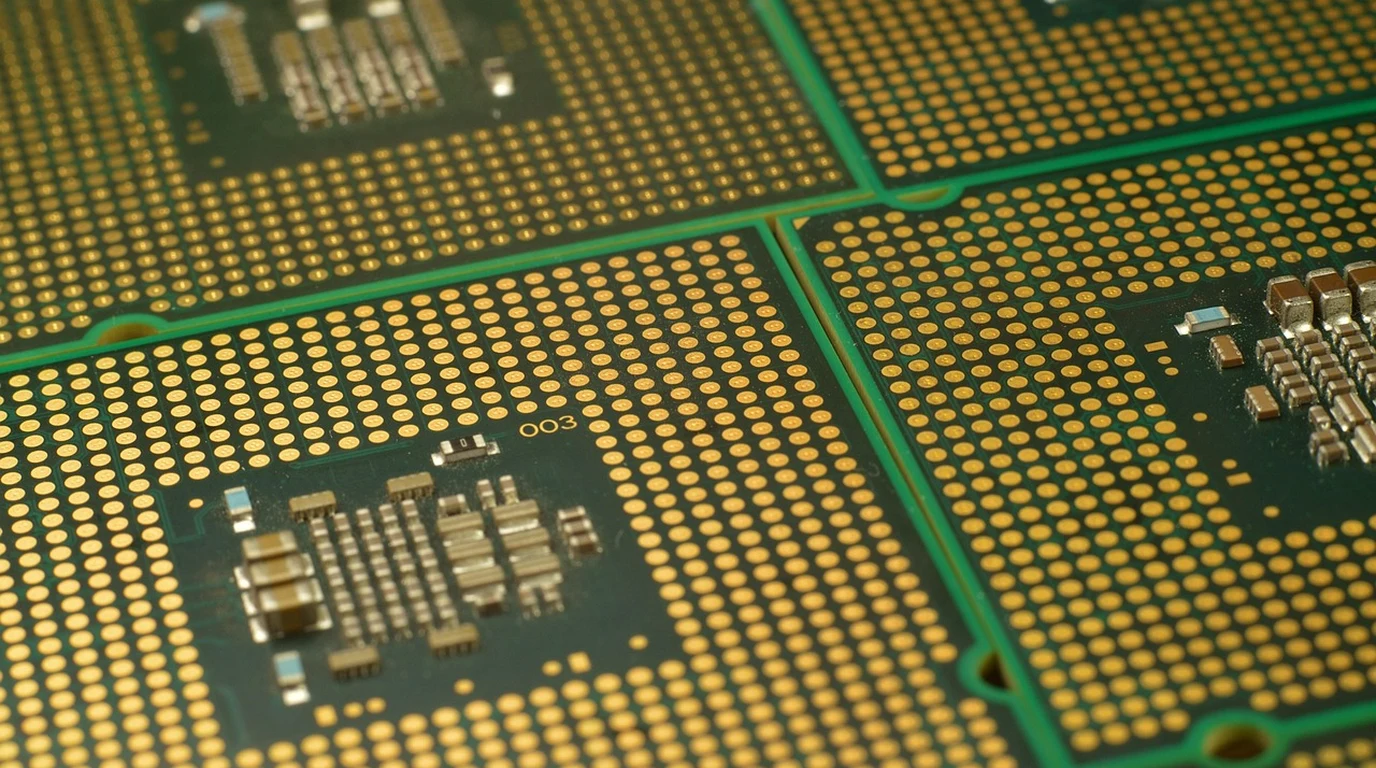
Alright, let’s grab that coffee. You’re here because the stakes in server procurement have never been higher. Every decision you make today reverberates through your budget, performance, and operational efficiency for years to come. The pressure to deliver cutting-edge performance while simultaneously reining in spiraling Total Cost of Ownership (TCO) is immense. You’re navigating a landscape where silicon innovation moves at breakneck speed, and the promises from vendors often feel like a game of marketing bingo. You’re not just buying CPUs; you’re investing in the very foundation of your digital future, and the thought of making the wrong call – locking into a suboptimal platform, overpaying for licenses, or underestimating cooling costs – is a genuine source of anxiety. You need clarity, not more marketing noise. You need a trusted guide to cut through the FUD and give you the unvarnished truth about where AMD EPYC 9005 Turin and Intel Xeon 6 truly stand in the TCO battle.
For most general-purpose, memory-bandwidth-hungry, and high-density virtualization workloads, AMD EPYC 9005 Turin often delivers superior TCO through higher core counts, robust memory channels, and competitive per-core performance. However, Intel Xeon 6’s hybrid architecture and MRDIMM support can offer a TCO advantage for specific, highly optimized AI/HPC workloads that leverage AMX or demand extreme memory bandwidth, provided software licensing isn’t a dominant cost factor.
Why Your Next Server Platform Choice Is Keeping You Up At Night
You’re not alone in feeling the weight of this decision. The server market isn’t just about raw horsepower anymore; it’s a complex interplay of initial hardware costs, ongoing power consumption, cooling infrastructure, software licensing models, and the often-overlooked cost of management and maintenance. Many IT leaders, architects, and procurement specialists fall into the trap of fixating on a single metric – be it peak core count, a specific benchmark, or even just the sticker price – and miss the forest for the trees. This narrow focus is precisely where the most significant TCO pitfalls lie.
The costly trap I see 80% of practitioners stumble into is a failure to model TCO holistically. They might see a CPU with an incredibly high core count and assume it’s automatically the most efficient choice, only to be blindsided by exorbitant per-core software licensing fees from VMware or Microsoft. Or they might chase the highest memory bandwidth figures without truly understanding if their applications can even saturate that bandwidth, leading to over-provisioning and wasted investment. The real challenge isn’t just picking the fastest chip; it’s selecting the platform that delivers the optimal performance-per-dollar across its entire lifecycle, aligned precisely with your unique workload profile and datacenter constraints.
This isn’t a simple “AMD vs. Intel” boxing match where one emerges as the undisputed champion for all scenarios. Both AMD EPYC 9005 Turin and Intel Xeon 6 represent monumental engineering achievements, pushing the boundaries of what’s possible in the datacenter. But they do so with fundamentally different architectural philosophies, each with distinct advantages and disadvantages depending on your specific needs. Understanding these nuances is the key to unlocking true TCO optimization.
Unpacking the Silicon: AMD EPYC 9005 Turin’s Zen 5 vs. Intel Xeon 6’s Hybrid Approach
Let’s dive into the core of these beasts. AMD’s EPYC 9005 series, codenamed “Turin,” is built upon the Zen 5 and Zen 5c architectures. This means you’ll see a mix of high-performance “P-cores” (Zen 5) and high-density, power-efficient “E-cores” (Zen 5c) within the same family, potentially even on the same die in some configurations. The Zen 5 architecture itself brings significant IPC (Instructions Per Cycle) improvements over Zen 4, with a focus on wider execution, deeper pipelines, and enhanced cache structures. Turin is expected to scale up to an astonishing 192 cores per socket, offering unprecedented density for workloads that thrive on sheer parallel processing.
Intel Xeon 6, on the other hand, embraces a more explicit hybrid strategy, splitting its offerings into two distinct families: Granite Rapids-AP (P-cores) and Sierra Forest (E-cores). Granite Rapids-AP, with its performance-optimized P-cores, is designed for traditional enterprise, HPC, and AI workloads demanding maximum single-thread performance and lower core counts. Sierra Forest, with its high-density E-cores, targets cloud-native, scale-out, and microservices environments where maximizing core count per watt and per dollar is paramount, often at the expense of per-core performance. This clear bifurcation allows Intel to optimize each family for specific use cases, but it also means you’re making a more definitive choice upfront about your primary workload type.
The crucial nuance here lies in how these core types translate to real-world performance and TCO. AMD’s Zen 5c E-cores are generally more performant than Intel’s Sierra Forest E-cores, often bridging the gap closer to traditional P-core performance while maintaining excellent power efficiency. This can lead to better consolidation ratios for mixed workloads on a single Turin platform. Intel’s strategy, however, allows for extreme specialization. A Sierra Forest server can pack an incredible number of E-cores into a single socket, potentially offering superior density for specific cloud-native applications, while Granite Rapids-AP aims for peak performance for demanding P-core workloads.
Memory Bandwidth Wars: Does 12-Channel DDR5-6400 Outmuscle MRDIMM 8800 MT/s?
The memory subsystem is often the unsung hero (or villain) of server performance and TCO. Both AMD and Intel are pushing the boundaries here, but with different approaches. AMD EPYC 9005 Turin continues with a robust 12-channel DDR5 memory interface, supporting speeds up to 6400 MT/s. This provides a substantial aggregate memory bandwidth, crucial for many data-intensive applications, databases, and virtualization environments. The 12-channel design allows for excellent memory capacity and balanced bandwidth distribution across the numerous cores.
Intel Xeon 6, particularly Granite Rapids-AP, introduces support for MRDIMM (Multiplexer Rank DIMM) technology, potentially enabling speeds up to 8800 MT/s. This is a significant jump in raw memory clock speed. MRDIMMs are designed to increase memory capacity and bandwidth by allowing more DIMMs per channel, but they come with their own set of considerations. While the peak theoretical bandwidth is higher, MRDIMMs can introduce slightly higher latency compared to standard RDIMMs, and their availability and cost might be a factor in initial deployments. Furthermore, the actual realized bandwidth will depend heavily on the memory controller’s efficiency and the application’s access patterns.
The costly trap here is assuming higher MT/s automatically translates to better performance for your applications. For many general-purpose workloads, the sheer number of memory channels and the balanced bandwidth of AMD’s 12-channel DDR5-6400 might be more than sufficient, and potentially more cost-effective. Applications that are truly memory-bandwidth bound, such as certain HPC simulations, large-scale in-memory databases, or specific AI training models, might see a tangible benefit from Intel’s MRDIMM capabilities. However, you need to rigorously profile your applications to determine if they can actually saturate and benefit from that extra bandwidth, or if you’re simply paying a premium for headroom you won’t use. The cost of MRDIMMs, both initially and in terms of power consumption, needs to be factored into your TCO model.
Vector & Matrix Acceleration: When AVX-512 and AMX Make or Break Your Workload
Modern server CPUs are more than just general-purpose compute engines; they’re increasingly specialized with dedicated accelerators for specific types of workloads. This is where AMD’s Zen 5 and Intel’s AMX take different paths.
AMD’s Zen 5 architecture in Turin features full dual 512-bit FMA (Fused Multiply-Add) units for AVX-512 instructions. This means that Zen 5 can execute two 512-bit floating-point operations per clock cycle per core, making it incredibly powerful for traditional HPC workloads, scientific simulations, video encoding/decoding, and certain types of AI inference where vector processing is dominant. AMD has embraced AVX-512 across its Zen 4 and now Zen 5 architectures, providing a consistent and powerful vector processing capability.
Intel, while having AVX-512 in its P-cores, has increasingly emphasized its Advanced Matrix Extensions (AMX) with dedicated matrix coprocessors. AMX is specifically designed to accelerate matrix multiplication operations, which are the fundamental building blocks of deep learning, AI inference, and certain linear algebra-heavy HPC tasks. For workloads that are dominated by large matrix operations, AMX can offer significant performance advantages over traditional vector units. However, AMX requires software to be specifically optimized to leverage it. If your applications aren’t compiled or designed to use AMX, you won’t see any benefit from these specialized units.
The nuance here is critical: Are your applications vector-heavy or matrix-heavy? For traditional HPC and scientific computing, AMD’s robust AVX-512 implementation might provide a more generalized performance uplift. For cutting-edge AI training and inference, especially with frameworks optimized for AMX, Intel’s Xeon 6 with AMX could be a game-changer. The costly trap is assuming one is inherently “better” without understanding your specific application’s computational patterns. You need to benchmark your actual workloads on platforms that support these different acceleration technologies to make an informed decision. Investing in a platform with powerful accelerators that your software can’t utilize is a direct hit to your TCO.
The Rack-Level Reality: Power, Cooling, and Density in a 42U World
Beyond the individual CPU, the true TCO picture emerges at the rack level. We’re talking about 42U of precious datacenter real estate, and how efficiently you can pack compute power into it. Both AMD EPYC 9005 Turin and Intel Xeon 6 push socket power limits, often exceeding 500W per socket for their highest-performance SKUs. This has profound implications for your power and cooling infrastructure.
Consider a typical 42U rack. If you’re deploying 1U or 2U servers, you might fit 20-40 servers. With two high-TDP sockets per server, you’re quickly looking at 20-40 kW of power draw per rack, just for the CPUs, not including memory, storage, or networking. This level of density often pushes traditional air-cooling systems to their absolute limits, or even beyond. High-CFM (Cubic Feet per Minute) air cooling can be incredibly noisy and energy-intensive itself, requiring more powerful CRAC/CRAH units and potentially leading to hot spots.
This is where liquid cooling, particularly direct-to-chip liquid cooling, becomes an increasingly attractive, if not mandatory, option for maximizing density and minimizing cooling costs. While the initial investment in liquid cooling infrastructure (CDUs, manifolds, liquid-cooled cold plates) is higher, it can significantly reduce operational costs by improving cooling efficiency and allowing for much higher rack densities. If your datacenter is already struggling with power and cooling capacity, or if you’re planning a new build, a comprehensive TCO model must include the cost of upgrading or implementing new cooling solutions.
The nuance here is that AMD’s higher core counts per socket with Turin can sometimes lead to better consolidation ratios, meaning fewer physical servers are needed to achieve the same compute capacity. Fewer servers mean fewer power supplies, fewer network ports, and potentially less rack space, all contributing to TCO savings. However, if those fewer servers each draw 1kW+ of power, your cooling infrastructure still needs to cope. Intel’s Sierra Forest E-core strategy, with its focus on power efficiency per core, might offer a compelling TCO for scale-out workloads where maximizing core density within existing air-cooled power envelopes is critical, even if individual core performance is lower.
The costly trap is underestimating the cascading effect of high-TDP CPUs. It’s not just the electricity bill for the CPU itself; it’s the electricity for the cooling system, the potential need for datacenter upgrades, and the opportunity cost of limited rack space. A thorough TCO calculation must include the capital expenditure (CapEx) and operational expenditure (OpEx) of power and cooling over the entire lifecycle of the server.
Software Licensing Economics: Navigating VMware and Windows Per-Core Costs
This is arguably the single biggest TCO factor that catches organizations off guard, especially with the trend towards higher core count CPUs. Major hypervisor vendors like VMware and operating system vendors like Microsoft have largely shifted to per-core licensing models for their enterprise products (e.g., VMware vSphere Enterprise Plus, Windows Server Datacenter Edition). This means the more physical cores you have in your server, the more you pay for the software licenses.
Let’s illustrate with an example. Both VMware and Microsoft typically require a minimum of 16 cores per socket to be licensed, even if the CPU has fewer. Beyond that, you pay for every physical core. Imagine an AMD EPYC 9005 Turin server with two 128-core CPUs, totaling 256 physical cores. For VMware vSphere, you’d be licensing all 256 cores. If you were to achieve similar compute capacity with Intel Xeon 6 Granite Rapids-AP CPUs, which might have fewer cores per socket (say, two 64-core CPUs for 128 cores total), you’d need more physical servers to reach the same aggregate core count, but each server would have a lower per-server license cost. However, the total number of licensed cores across all servers might still be similar.
The real nuance comes with Intel’s E-core strategy. While Sierra Forest E-cores offer high density, their lower per-core performance means you might need more E-cores to achieve the same workload throughput as fewer P-cores. The critical question is whether software vendors will differentiate licensing costs between P-cores and E-cores, or if they will treat all physical cores equally for licensing purposes. As of now, the trend is towards treating all physical cores equally, which can make high-density E-core platforms surprisingly expensive from a software licensing perspective if your consolidation ratios aren’t incredibly high.
AMD’s Turin, with its Zen 5c E-cores, presents a similar challenge. While Zen 5c cores are more performant than Intel’s Sierra Forest E-cores, they are still physical cores that need to be licensed. The advantage for AMD often comes from its ability to pack more performant cores into a single socket, potentially reducing the number of physical servers needed for a given workload, which can simplify management and reduce other hardware costs. However, the per-socket licensing cost will be higher due to the higher core count.
The costly trap is ignoring this entirely. A server that looks incredibly cost-effective on paper from a hardware perspective can become a TCO nightmare once software licensing is factored in. You must perform detailed licensing calculations based on your chosen hypervisor, operating system, and any other per-core licensed applications. Sometimes, choosing a CPU with slightly fewer, but more powerful, cores can lead to significant TCO savings if it allows you to hit your performance targets with fewer licensed cores overall, or fewer physical servers.
| Feature/Metric | AMD EPYC 9005 Turin (Zen 5/5c) | Intel Xeon 6 (Granite Rapids-AP / Sierra Forest) | TCO Implication & Nuance |
|---|---|---|---|
| Core Architecture & Max Cores | Zen 5 (P-cores) & Zen 5c (E-cores), up to 192 cores per socket. Zen 5c offers higher performance than Intel E-cores. | Granite Rapids-AP (P-cores) for performance; Sierra Forest (E-cores) for density. Up to 128 P-cores or 288 E-cores per socket. | Turin’s high core count per socket can mean fewer servers for consolidation, but higher per-server software licensing. Intel’s split offers specialization: P-cores for peak performance, E-cores for extreme density/efficiency where per-core performance is less critical. |
| Memory Subsystem | 12-channel DDR5-6400. Balanced, high aggregate bandwidth. | Up to 12-channel DDR5, with MRDIMM support up to 8800 MT/s (Granite Rapids-AP). Potential for higher peak bandwidth. | Turin offers excellent general-purpose bandwidth. Intel’s MRDIMM can be advantageous for extremely bandwidth-hungry workloads, but comes with potential cost, latency, and availability considerations. Profile your apps carefully. |
| Vector/Matrix Acceleration | Full dual 512-bit FMA units for AVX-512 (Zen 5). Strong for traditional HPC, scientific, and general vector workloads. | AVX-512 on P-cores, but strong emphasis on Advanced Matrix Extensions (AMX) for AI/ML and matrix-heavy HPC. | Workload-dependent. Turin is a strong generalist for vector. Xeon 6 with AMX excels in matrix-heavy AI/ML, but requires software optimization. Don’t pay for features you can’t use. |
| Max TDP per Socket | Up to 500W+ for high-end SKUs. | Up to 500W+ for high-end SKUs (Granite Rapids-AP). Sierra Forest E-cores are generally lower TDP per core. | High TDP requires robust cooling. Turin’s density might mean fewer high-TDP sockets. Intel’s E-cores offer better power/core for scale-out, but total power for equivalent performance might vary. Crucial for power/cooling CapEx/OpEx. |
| PCIe Generation & Lanes | PCIe 5.0 (128 lanes per socket) with CXL 2.0. | PCIe 5.0 (up to 128 lanes per socket) with CXL 2.0. | Both offer excellent I/O capabilities. CXL 2.0 is key for memory expansion and pooling. No significant TCO differentiator here unless future CXL 3.0/4.0 adoption becomes critical. |
| Target Workloads & TCO Sweet Spot | General-purpose virtualization, databases, HPC, cloud-native (with Zen 5c), memory-bandwidth-sensitive applications. Strong TCO for consolidation. | Granite Rapids-AP: Traditional enterprise, high-performance HPC, AI training/inference (with AMX). Sierra Forest: Cloud-native, microservices, scale-out, high-density compute where per-core efficiency is paramount. | Turin often wins on TCO for broad workloads due to high core count/performance per socket. Xeon 6 can win for highly specialized workloads leveraging AMX or extreme E-core density, but requires careful software licensing and cooling analysis. |
Your Datacenter Procurement Playbook: A Step-by-Step Guide to Optimal TCO
Now that we’ve dissected the silicon and exposed the nuances, let’s put it all together into an actionable playbook. This isn’t about picking a winner in a vacuum; it’s about making the right decision for your datacenter, your workloads, and your budget. Follow these steps to build a gold-standard TCO model and procurement strategy:
-
Deep Workload Profiling: Know Your Applications Inside Out
Before you even look at a spec sheet, you need an exhaustive understanding of your applications. Are they CPU-bound, memory-bound, or I/O-bound? Do they benefit from high single-thread performance (P-cores) or massive parallelism (E-cores/high core count)? Are they vector-heavy (HPC, scientific) or matrix-heavy (AI/ML)? Do they have specific latency requirements? Use monitoring tools to capture real-world utilization data, not just peak theoretical needs. Categorize your workloads: Tier 1 (mission-critical, high performance), Tier 2 (general purpose), Tier 3 (batch, scale-out). This foundational step dictates everything else.
-
Comprehensive TCO Modeling: Build a Multi-Year Financial Picture
This is where most organizations fall short. Your TCO model must go beyond initial hardware costs. Include:
- Hardware CapEx: Servers, CPUs, memory (RDIMM vs. MRDIMM), storage, networking.
- Power OpEx: CPU power draw, memory power draw, storage power draw.
- Cooling OpEx & CapEx: Energy for CRAC/CRAH units, potential liquid cooling infrastructure upgrades/installation. Calculate PUE (Power Usage Effectiveness) impact.
- Software Licensing OpEx: VMware vSphere, Windows Server, database licenses (Oracle, SQL Server), application-specific licenses. Model per-core costs carefully.
- Maintenance & Support OpEx: Hardware warranties, software support contracts.
- Depreciation: Plan for refresh cycles (typically 3-5 years).
- Management Overhead OpEx: Cost of IT staff managing the infrastructure.
Run scenarios for both AMD EPYC 9005 Turin and Intel Xeon 6 platforms, adjusting for core counts, power envelopes, and licensing implications. Don’t forget to factor in potential consolidation ratios – fewer physical servers often mean lower TCO across multiple categories.
-
Memory Strategy Assessment: Bandwidth vs. Cost vs. Latency
For memory, ask: Do my applications truly need 8800 MT/s MRDIMM bandwidth, or is 12-channel DDR5-6400 more than sufficient? What are the cost premiums for MRDIMMs, both in CapEx and potential OpEx (power)? Are there latency implications for my specific workloads? For most general-purpose workloads, the higher capacity and balanced bandwidth of Turin’s 12-channel DDR5 will likely offer a better TCO. Only for extreme memory-bound applications should the MRDIMM premium be considered.
-
Accelerator Alignment: AVX-512 vs. AMX
Determine if your applications are optimized for AVX-512 or AMX. If you’re running traditional HPC code, AMD’s Zen 5 with