
Building your own local AI workstation feels like stepping into the future, doesn’t it? The promise of running powerful large language models (LLMs) like Llama 3 70B right on your desk, without cloud subscriptions or data privacy concerns, is incredibly compelling. But as soon as you dive into the hardware, you hit a wall of choices, acronyms, and conflicting advice. The biggest headache for many of you right now is likely the GPU decision: do you chase the raw, bleeding-edge speed of a single RTX 4090, or do you opt for the seemingly more complex, yet potentially more capable, dual RTX 3090 setup?
I see the frustration in your eyes. You’ve got a budget, a vision, and a very real fear of making an expensive mistake that leaves you with a powerful machine that simply can’t handle the models you want to run. You’re trying to balance cost, performance, and future-proofing, all while navigating the rapidly evolving landscape of AI hardware. It’s a significant investment, and you deserve clarity.
For dedicated local AI inference, especially with large language models like Llama 3 70B (even quantized), a dual RTX 3090 setup is the superior choice over a single RTX 4090. The combined 48GB of VRAM in the dual 3090 configuration directly addresses the primary bottleneck for LLMs—memory capacity—which the 24GB 4090 simply cannot overcome, regardless of its raw speed.
Why Chasing Raw Speed Can Be a Costly Trap for Local AI Builders
It’s natural to gravitate towards the latest and greatest. The RTX 4090 is an absolute beast, a marvel of engineering that dominates gaming benchmarks and offers incredible raw compute power with its Ada Lovelace architecture, including FP8 transformer engines. But here’s where 80% of aspiring local AI builders get it wrong: they prioritize raw TFLOPS and generational improvements without fully grasping the decisive constraint for large language models: VRAM capacity.
Think of it this way: a Formula 1 car is incredibly fast, but if the track is too narrow for it to even enter, its speed is irrelevant. For LLMs, VRAM is that track width. A single RTX 4090, with its 24GB of GDDR6X VRAM, hits a hard wall when you try to load models like Llama 3 70B. Even with aggressive 4-bit quantization (Q4_K_M), a 70B parameter model typically requires around 40-45GB of VRAM to load comfortably, leaving some headroom for context windows and intermediate activations. Your 4090, no matter how fast it is, simply cannot fit the model into its memory. It’s like trying to pour a gallon of water into a half-gallon jug. It just won’t work.
This is the “costly trap.” You invest $1,600-$1,800+ in a top-tier GPU, only to find your dream of running cutting-edge LLMs locally is thwarted by a fundamental memory limitation. You’re left with a powerful card that’s fantastic for gaming or smaller AI tasks, but inadequate for the very reason you bought it. The frustration is palpable, and the path to correction often involves selling your new card at a loss or buying another one, doubling your initial headache.
The dual RTX 3090 setup, on the other hand, provides a combined 48GB of VRAM. While these cards are based on the previous Ampere architecture and lack the 4090’s FP8 capabilities or raw TFLOPS per card, their collective VRAM capacity is the game-changer. AI frameworks like `llama.cpp` and `ollama` are incredibly adept at splitting model layers across multiple GPUs, effectively utilizing that combined VRAM even without traditional NVLink memory pooling (which isn’t universally supported for inference across all frameworks anyway). This means Llama 3 70B at Q4_K_M, with a generous context window, loads and runs beautifully on a dual 3090 rig.
Beyond the VRAM, there are crucial nuances in building a multi-GPU system that often trip up even experienced builders. These aren’t insurmountable, but they demand careful planning and attention to detail.
Navigating the Nuances: PCIe Lanes, Power, and Thermals
Venturing into a dual-GPU setup introduces a few architectural considerations that are less pressing with a single card:
Understanding PCIe Bifurcation: Is x8/x8 Enough?
Most consumer motherboards don’t offer two full x16 PCIe 4.0 or 5.0 slots running simultaneously. Typically, if you populate a second x16-length slot, the primary slot will drop to x8, resulting in an x8/x8 configuration. Some boards might even go x16/x4, which is less ideal for two high-performance GPUs. The good news for AI inference is that x8/x8 is generally perfectly adequate. While raw bandwidth is halved per card compared to x16, the data transfer rates for loading model layers and passing activations between GPUs during inference rarely saturate a PCIe 4.0 x8 link. You’re far more likely to be bottlenecked by VRAM access speeds or the computation itself than by PCIe bandwidth in this scenario.
What you absolutely need is a CPU with enough PCIe lanes to support this. Modern high-end CPUs from AMD (Ryzen 7000 series on AM5) and Intel (13th/14th Gen on LGA1700) typically offer 24-28 usable lanes, allowing for an x8/x8 GPU setup plus an NVMe drive. Always check your motherboard’s manual for its specific PCIe lane allocation and bifurcation capabilities.
The Thermal Exhaustion Challenge: Keeping Your Cool
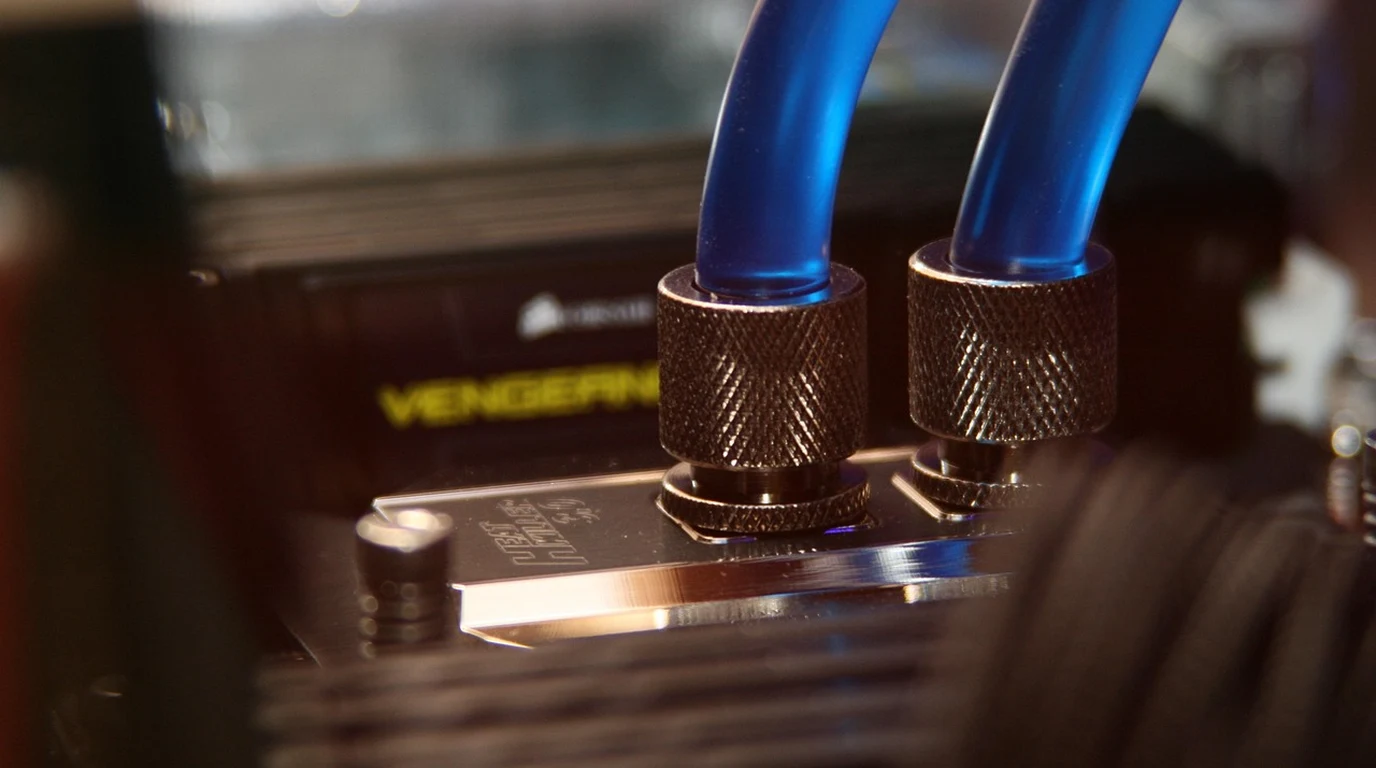
Two RTX 3090s, each with a Thermal Design Power (TDP) of 350W, means you’re generating a whopping 700W of heat just from the GPUs under full load. This isn’t a minor detail; it’s a critical engineering challenge. A single 4090, while powerful, typically draws around 450W, which is easier to manage. With dual 3090s, you need a case with exceptional airflow, ideally a mesh front panel, and multiple large intake and exhaust fans. Poor thermal management will lead to thermal throttling, where your GPUs automatically reduce their clock speeds to prevent overheating, negating any performance advantage. Consider open-air test benches or custom water cooling if you’re pushing the absolute limits, but for most, a well-ventilated, large tower case with a smart fan configuration will suffice.
Powering the Beast: 1200W-1600W ATX 3.0 PSUs
This isn’t an area to cut corners. A dual RTX 3090 setup, coupled with a high-end CPU, RAM, and storage, can easily demand 900-1000W from the wall under peak load. You need significant headroom. A 1200W ATX 3.0 power supply is the absolute minimum I’d recommend, with 1600W being ideal for peace of mind and future upgrades. Why ATX 3.0? These PSUs are designed to handle the massive, instantaneous power spikes (transient loads) that modern GPUs can exhibit, preventing system instability and crashes. Ensure your chosen PSU has enough 8-pin PCIe power connectors for both 3090s (each typically requires three 8-pin connectors, totaling six for the pair).
Let’s break down the core differences in a practical matrix:
| Key Metric | Single RTX 4090 (24GB) | Dual RTX 3090 (48GB) | Decisive Factor for LLMs | Jay Tech’s Verdict |
|---|---|---|---|---|
| Total VRAM Capacity | 24GB GDDR6X | 48GB GDDR6X (2x 24GB) | CRITICAL: 24GB is insufficient for 70B+ models; 48GB is ample. | Dual 3090s win decisively. |
| Cost (Approx. New/Used) | ~$1,600 – $1,800+ (New) | ~$1,200 – $1,600 (Used, 2x $600-$800) | Dual 3090s offer significantly more VRAM per dollar. | Dual 3090s are more cost-effective for VRAM. |
| Raw Compute (FP32/FP16) | ~82 TFLOPS FP32 / ~164 TFLOPS FP16 | ~35 TFLOPS FP32 / ~70 TFLOPS FP16 (per card) | 4090 is faster, but only if the model fits. VRAM capacity trumps raw speed if the model can’t load. | 4090 is faster if VRAM isn’t a bottleneck. |
| Power Consumption (GPU only) | ~450W TDP | ~700W TDP (2x 350W) | Higher power draw for dual 3090s requires robust PSU and cooling. | 4090 is more power efficient per card. |
| Thermal Output | Significant, but manageable for a single card. | HIGH: Requires excellent case airflow and cooling. | Dual 3090s demand careful thermal planning to avoid throttling. | 4090 is easier to cool. |
| LLM Compatibility (e.g., Llama 3 70B Q4_K_M) | NO: VRAM insufficient. | YES: VRAM ample for full model + context. | This is the ultimate test for local AI workstations. | Dual 3090s are the clear winner for large models. |
| Build Complexity | Relatively simple. | Higher: Motherboard, PSU, cooling, physical spacing. | Requires more planning and attention to detail. | 4090 offers a simpler build path. |
| Future-Proofing | Newer architecture (Ada Lovelace, FP8), but VRAM limited. | Older architecture (Ampere), but VRAM capacity is key for scaling. | VRAM capacity is the primary future-proofing factor for LLMs. | Dual 3090s are more “future-proof” for VRAM-hungry models. |
The table makes it clear: while the 4090 has undeniable advantages in raw speed and efficiency, the dual 3090 setup wins where it matters most for large local AI models—VRAM capacity and cost-effectiveness for that capacity. The trade-offs are in power, thermals, and build complexity, but these are manageable with proper planning.
Your Actionable Playbook: Building a Dual RTX 3090 AI Workstation
You’ve made the smart choice. Now, let’s get you building. Here’s a concrete, step-by-step playbook to ensure your dual RTX 3090 local AI workstation is a success:
- Define Your Model Target First: Before buying a single component, decide which LLMs you absolutely want to run. If it’s Llama 3 70B or similar, you’ve already confirmed the dual 3090 path. This step prevents expensive re-dos.
- Motherboard Selection is Paramount:
- PCIe Slots: Look for a motherboard with at least two full x16-length PCIe 4.0 (or 5.0) slots, spaced far enough apart to accommodate two triple-slot GPUs. Many ATX boards will have a primary x16 slot and a second x16-length slot that runs at x8 when both are populated. This x8/x8 configuration is what you’re aiming for.
- Physical Spacing: This is critical. Triple-slot GPUs are chunky. Measure or look up dimensions. You might need to skip a slot between them for adequate airflow, meaning a board with three x16-length slots might be ideal (using the first and third, for example).
- CPU Socket: Pair with a modern CPU platform like AMD AM5 (Ryzen 7000/8000 series) or Intel LGA1700 (13th/14th Gen Core i7/i9) to ensure sufficient PCIe lanes.
- CPU Choice: Don’t Skimp on Lanes: Your CPU needs to provide enough PCIe lanes for your GPUs and fast NVMe storage. High-end consumer CPUs typically offer 24-28 lanes, which is sufficient for an x8/x8 GPU setup and one or two PCIe 4.0/5.0 NVMe drives. A Ryzen 7 7700X or an Intel Core i7-13700K are good starting points; higher-tier CPUs offer more cores for general system responsiveness.
- Power Supply Unit (PSU): Go Big, Go ATX 3.0:
- Wattage: Minimum 1200W, ideally 1600W. This provides crucial headroom for transient power spikes and future expansion.
- ATX 3.0: This standard is vital for handling the dynamic power demands of modern GPUs. It ensures system stability under heavy load.
- Connectors: Ensure it has at least six 8-pin PCIe power connectors for your two RTX 3090s (each typically needs three).
- Cooling Solution: Airflow is Your Best Friend:
- Case: Choose a large, high-airflow case with a mesh front panel. Brands like Fractal Design (Torrent), Lian Li (Lancool series), or Phanteks (P500A/P600S) are excellent starting points.
- Fans: Populate all available fan mounts with high-quality, high-CFM (Cubic Feet per Minute) fans. Think 3x 140mm front intake, 1x 140mm rear exhaust, and 2-3x 140mm top exhaust.
- CPU Cooler: A large air cooler or a 240mm/360mm AIO liquid cooler for your CPU is recommended to keep CPU temps down and allow more air for the GPUs.
- Storage: Fast NVMe is Key: Invest in at least one 2TB (or larger) PCIe 4.0 NVMe SSD for your operating system and model storage. LLMs can be tens or hundreds of gigabytes, so fast loading times are essential. Consider a second large NVMe for additional model storage.
- System RAM: Don’t Skimp: While VRAM is king for the model itself, system RAM is crucial for the operating system, context window overflow, and other applications. 64GB DDR5 is a solid baseline; 128GB is recommended for serious AI development or if you plan to run multiple applications alongside your LLMs.
- Operating System & Drivers: Linux is Preferred:
- OS: Ubuntu, Pop!_OS, or Fedora are excellent choices for AI development due to their robust package managers and community support.
- Drivers: Install the latest NVIDIA proprietary drivers and the corresponding CUDA toolkit. Follow NVIDIA’s official documentation for installation to avoid common pitfalls.
- Software Setup: Get Productive Quickly:
- Ollama: An incredibly user-friendly tool for downloading, running, and managing LLMs locally.
- llama.cpp: The foundational library for efficient CPU/GPU inference of LLMs. Many frontends build upon this.
- Text-Generation-WebUI: A popular web-based interface for interacting with various LLMs, offering a rich feature set.
- Test and Monitor Rigorously: Once built, stress test your system. Run a demanding LLM, monitor GPU temperatures (using tools like `nvidia-smi`), CPU temperatures, and power draw. Adjust fan curves as
AI Hardware Workstations & GPU Cluster Architecture
Deploying high-density GPU compute requires managing extreme thermal dissipation and power delivery. For local workstation comparisons, review our analysis on Direct-to-Chip Liquid Cooling: GPU Server Rack Math.
High-Density AI Computing & Workstation EngineeringSelecting the optimal GPU hardware configuration determines maximum model parameter capacity and inference speed. For full build economics, see Dual RTX 3090 vs Single RTX 4090: Local LLM VRAM.