
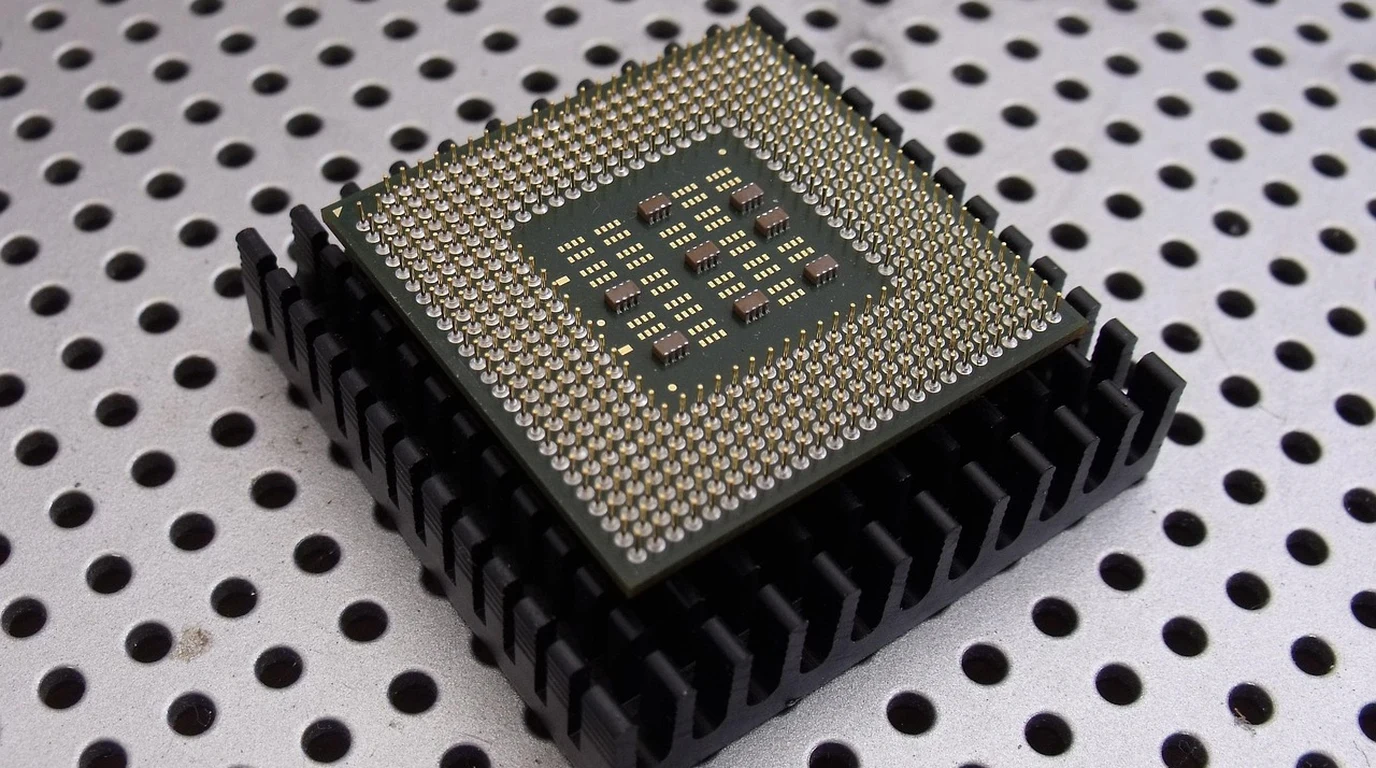
You’re standing at a critical juncture, aren’t you? The decision to deploy new server infrastructure in a colocation facility isn’t just about picking the fastest chip; it’s a high-stakes game of balancing raw performance, power consumption, rack density, and a three-year total cost of ownership that can make or break your budget. You’re not just buying silicon; you’re investing in the very backbone of your operations, and a misstep here means wasted capital, operational headaches, and potentially leaving performance on the table for years to come. The anxiety is real: choose wrong, and you’re either paying for unused capacity, struggling with thermal limits, or facing unexpected software licensing bills that erode your ROI. You need clarity, not marketing fluff. You need a definitive path forward that accounts for the intricate dance between CPU architecture, memory bandwidth, power envelopes, and the hard realities of colocation rack space and circuit limits.
For most colocation rack sizing scenarios prioritizing balanced performance, power efficiency, and predictable TCO across diverse workloads, AMD EPYC 9005 (Turin) often presents a more compelling proposition due to its superior core density per watt, robust memory subsystem, and more favorable software licensing implications, allowing for greater compute density within typical colocation power envelopes.
Why Just Looking at Core Counts Is a Colocation Costly Trap
Let’s be honest, the spec sheets are designed to impress. You see “128 cores” or “288 E-cores” and your eyes light up. But here’s where 80% of practitioners fall into a costly trap: they focus solely on headline core counts or theoretical peak performance without understanding how these translate into *deployable, sustainable, and cost-effective compute density* within the strict confines of a colocation rack. It’s not just about how many cores a CPU has; it’s about how many of those cores you can actually power, cool, and license effectively within a 15 kW or 25 kW rack circuit limit, and how efficiently they execute *your specific workloads*.
The real challenge in colocation isn’t just buying the server; it’s buying the *right* server that maximizes your return on investment (ROI) within fixed power, cooling, and physical space constraints. Overlooking the nuances of power consumption under sustained load, the impact of different core architectures on software licensing, or the true cost of cooling high-TDP components can lead to racks that are either underutilized, thermally throttled, or bleeding money through unexpected operational expenses. We need to look beyond the marketing and dive into the engineering realities.
Understanding the Core Architecture Showdown: P-cores, E-cores, Zen 5, and Zen 5c
Both Intel and AMD are pushing the boundaries of core density, but they’re doing it with fundamentally different philosophies that have profound implications for your colocation strategy.
**Intel Xeon 6 (Granite Rapids): The P-core and E-core Dichotomy**
Intel’s Xeon 6 introduces a fascinating split:
* **Granite Rapids (6900P series):** These are the performance-cores (P-cores), designed for maximum single-thread performance and latency-sensitive workloads. They pack up to 128 P-cores per socket, featuring AVX-512 and AMX (Advanced Matrix Extensions) for AI and HPC acceleration. These cores are powerful, but they are also power-hungry, especially when fully utilized with vector instructions.
* **Sierra Forest (6700E series):** These are the efficiency-cores (E-cores), optimized for high-density, scale-out, and throughput-oriented workloads. They can reach an astonishing 288 E-cores per socket. E-cores prioritize power efficiency and parallelism over raw single-thread speed, making them ideal for microservices, web serving, and other cloud-native applications where you need to run many concurrent, less demanding tasks.
The challenge with Intel’s approach in colocation is deciding which core type, or combination, best suits your *entire* workload profile. A P-core heavy deployment will offer immense single-thread grunt but will quickly hit power limits. An E-core deployment offers incredible density but might struggle with legacy applications or those requiring high per-core performance.
**AMD EPYC 9005 (Turin): Zen 5 and Zen 5c – A More Unified Approach**
AMD’s EPYC 9005 (Turin) also introduces two core types, Zen 5 and Zen 5c, but with a more integrated design philosophy:
* **Zen 5:** These are the high-performance cores, offering significant IPC (Instructions Per Cycle) improvements over previous generations. They are designed for general-purpose computing, HPC, and enterprise applications, scaling up to 128 Zen 5 cores per socket.
* **Zen 5c:** These are compact cores, sharing the same Zen 5 microarchitecture but optimized for higher density and power efficiency. They can reach up to 192 Zen 5c cores per socket. Unlike Intel’s E-cores, Zen 5c cores maintain a very high degree of architectural compatibility and instruction set support with Zen 5, often simplifying software deployment.
AMD’s Turin offers a more consistent performance profile across its core types, making it potentially easier to manage mixed workloads and predict performance. The Zen 5c cores, while more compact, don’t represent as significant a performance trade-off per core compared to Intel’s E-cores versus P-cores, which can be a critical factor for software licensing and application compatibility.
The Memory Subsystem: Bandwidth is King for Many Workloads
Both platforms feature a robust 12-channel DDR5-6400 memory subsystem, which is a significant leap forward in bandwidth and capacity.
* **12 Channels:** This provides immense aggregate memory bandwidth, crucial for data-intensive applications, databases, in-memory analytics, and HPC workloads. At 6400 MT/s, each channel delivers substantial throughput.
* **DDR5-6400:** The higher clock speed translates directly to more data per cycle, reducing bottlenecks for memory-bound applications.
The key difference isn’t just the raw numbers, but how effectively each architecture can *utilize* this bandwidth. AMD’s chiplet design with its unified memory controller often provides excellent memory latency characteristics across all cores. Intel’s P-core/E-core split might see different memory access patterns and latencies depending on which core type is accessing data, though their internal interconnects are highly optimized. For colocation, maximizing memory capacity and bandwidth per RU is critical, as memory often becomes the limiting factor for certain application types before CPU cores do.
PCIe Gen 5 and CXL 2.0: The I/O Backbone
Modern colocation deployments demand high-speed I/O for NVMe storage, high-speed networking (400GbE and beyond), and accelerators. Both platforms deliver:
* **PCIe Gen 5:** Offers double the bandwidth per lane compared to Gen 4, enabling faster storage, network adapters, and GPU/accelerator connectivity. This is non-negotiable for high-performance data centers.
* **CXL 2.0 (Compute Express Link):** This is the game-changer. CXL 2.0 allows for memory pooling and sharing between CPUs and accelerators, breaking down traditional memory silos. It enables memory expansion beyond what’s directly attached to the CPU, and facilitates coherent memory access for devices like GPUs and FPGAs. This is particularly relevant for AI/ML, HPC, and in-memory database workloads where memory capacity and low-latency access to shared memory are paramount.
The implementation and available lanes for PCIe Gen 5 and CXL 2.0 can vary between specific server SKUs and motherboard designs. When planning your colocation rack, consider how many high-bandwidth devices (NVMe drives, 200/400GbE NICs, AI accelerators) you need per server, and ensure your chosen platform offers sufficient lanes and CXL capabilities to avoid I/O bottlenecks.
The Elephant in the Rack: Sustained TDP and Real-World Power Consumption
This is where the rubber meets the road for colocation rack sizing. CPU TDP (Thermal Design Power) figures for these flagship processors are pushing 400W–500W *per socket*. When you factor in a dual-socket server, plus memory, storage, NICs, and power supply inefficiencies, a single 1U or 2U server can easily consume 1000W to 1500W under full load, especially with AVX-512 or AMX workloads.
* **AVX-512/AMX Impact:** Intel’s AVX-512 and AMX instructions, while incredibly powerful for specific HPC and AI tasks, are notorious power hogs. Running these sustained can push a CPU well beyond its base TDP, requiring robust cooling and careful power budgeting. AMD’s Zen 5 also has strong vector processing capabilities, but historically, Intel’s specific vector instruction sets have shown higher power spikes.
* **Colocation Power Density Limits:** Most colocation facilities operate with standard rack power densities of 15 kW, with premium offerings reaching 25 kW per rack.
* **15 kW Rack:** If each server draws 1.2 kW, you can only fit 12-13 servers in the rack before hitting the power ceiling, regardless of available rack units. This means a 42U rack might only be 30% utilized by physical servers, with the rest of the space empty due to power constraints.
* **25 kW Rack:** While offering more headroom, even here, 20 servers drawing 1.2 kW each will consume 24 kW, leaving very little margin.
This power constraint fundamentally dictates your rack sizing. You’re no longer limited by how many servers can physically fit, but by how many you can *power and cool*. This is where the efficiency of E-cores or Zen 5c cores becomes incredibly attractive. A server with 288 E-cores or 192 Zen 5c cores, while potentially offering less per-core performance than a P-core or Zen 5 equivalent, might deliver significantly more *aggregate* compute within the same power envelope, leading to higher effective rack density.
The Hidden Cost: Software Licensing Penalties and TCO
Beyond hardware CAPEX and colocation OPEX (power, cooling, RU fees), software licensing is a massive, often overlooked, TCO component. Many enterprise software vendors (databases, virtualization platforms, operating systems) license per-core or per-socket.
* **Per-Core Licensing:** If you’re paying per-core, a CPU with 128 or 288 cores can quickly become prohibitively expensive, even if you’re not fully utilizing all of them. This is where the cost-effectiveness of E-cores or Zen 5c cores, which offer high density at a lower per-core cost, can be offset by licensing fees.
* **Per-Socket Licensing:** If licensing is per-socket, then maximizing the number of cores *per socket* becomes paramount. AMD’s EPYC, historically, has offered higher core counts per socket than Intel Xeon, giving it an advantage here.
The crucial point is that the *effective cost per usable core* must include the software licensing burden. A cheaper CPU might end up being more expensive overall if its high core count triggers exorbitant software fees. This is a critical factor where AMD’s EPYC, with its typically higher core counts per socket and often better performance per watt, can offer a significant TCO advantage, especially for per-socket licensed software.
| Feature | Intel Xeon 6 (Granite Rapids / Sierra Forest) | AMD EPYC 9005 (Turin Zen 5 / Zen 5c) | Colocation Rack Sizing Impact |
|---|---|---|---|
| Core Architecture | P-cores (6900P) for performance, E-cores (6700E) for efficiency/density. Significant performance difference between core types. | Zen 5 for performance, Zen 5c for density/efficiency. More unified architecture, less performance disparity between core types. | Intel requires careful workload matching to core type; AMD offers more consistent performance across core types, simplifying deployment. |
| Max Cores/Socket | Up to 128 P-cores (Granite Rapids), up to 288 E-cores (Sierra Forest). | Up to 128 Zen 5 cores, up to 192 Zen 5c cores. | Higher core density per socket generally favors per-socket licensing models. EPYC often achieves higher usable core density within power limits. |
| Memory Channels/Speed | 12-channel DDR5-6400. | 12-channel DDR5-6400. | Both platforms offer excellent memory bandwidth. Focus on maximizing DIMM capacity and speed per RU for memory-bound workloads. |
| PCIe / CXL | PCIe Gen 5, CXL 2.0. | PCIe Gen 5, CXL 2.0. | Both offer cutting-edge I/O. Ensure sufficient lanes for high-speed NVMe, NICs, and accelerators. CXL 2.0 is key for memory expansion/pooling. |
| Max Sustained TDP/Socket | 400W–500W, especially with AVX-512/AMX. | 400W–500W, with strong vector processing. | Critical constraint. High TDP limits server count per rack. EPYC often delivers more performance per watt, enabling higher compute density. |
| Typical Rack Power Density | Servers can easily exceed 1kW. Limits 10-15 servers in a 15kW rack. | Servers often slightly more power-efficient for similar core counts. Allows for potentially 1-2 more servers in a 15kW rack. | The primary limiting factor for rack sizing. Prioritize power-efficient platforms to maximize compute per kW. |
| Software Licensing Model | Can be per-core or per-socket. E-cores might have different licensing implications. | Typically per-core or per-socket. Zen 5c cores are generally treated identically to Zen 5 for licensing. | Crucial for TCO. Higher core counts (especially E-cores) can inflate per-core licensing costs. Per-socket licensing favors platforms with more cores per socket. |
| 3-Year TCO Implication | Potentially higher OPEX due to power consumption and per-core software licensing for high core count P-core or E-core systems. | Often lower OPEX due to better performance/watt and more favorable software licensing for high core count per socket. | Look beyond CAPEX. OPEX (power, cooling, licensing) often dominates TCO. EPYC frequently offers a stronger TCO profile. |
Rack Occupancy: RU vs. Power vs. Cooling
The traditional view of rack sizing was simply fitting 42U worth of servers. Today, it’s a multi-variable optimization problem:
1. **Rack Units (RU):** How many 1U/2U servers can physically fit?
2. **Power Draw (kW):** How much power do those servers consume under typical and peak loads? Does it exceed the rack’s circuit limit (e.g., 15 kW, 25 kW)?
3. **Thermal Dissipation (BTU/hr):** Can the colocation facility’s cooling infrastructure (CRAC/CRAH units, hot/cold aisle containment) effectively remove the heat generated by your servers? High-TDP CPUs often require higher airflow or even liquid cooling solutions, which might incur additional costs or require specialized racks.
For example, if you choose dual-socket Xeon 6 P-core servers, each drawing 1.5 kW under load, you’d only fit 10 servers in a 15 kW rack. That’s 20U of servers in a 42U rack, leaving 22U empty but the rack fully powered. If you opt for EPYC 9005 Zen 5c servers, which might deliver comparable aggregate throughput at 1.0 kW per server, you could fit 15 servers, utilizing 30U and delivering 50% more compute density in the same power envelope. This is the essence of smart colocation rack sizing.
Your Actionable Playbook for Optimal Colocation Rack Sizing
Alright, let’s cut through the noise and give you a concrete, step-by-step playbook to make this decision with confidence. This isn’t theoretical; this is how you get it done today.
1. Define Your Workload Profile with Granular Precision
Start here. Don’t guess.
* **Identify Core Workload Types:** Are you running latency-sensitive databases, high-throughput web servers, HPC simulations, AI/ML training, or virtualized environments?
* **Characterize Resource Demands:** For each workload, determine if it’s CPU-bound (single-thread vs. multi-thread), memory-bound (bandwidth, capacity, latency), or I/O-bound (storage IOPS/throughput, network bandwidth).
* **P-core/Zen 5 vs. E-core/Zen 5c Suitability:**
* **P-cores / Zen 5:** Ideal for traditional enterprise applications, relational databases, high-performance computing, and any workload where per-core performance and low latency are paramount.
* **E-cores / Zen 5c:** Excellent for scale-out microservices, containerized applications, web serving, big data analytics (where throughput and parallelism are key), and virtual desktop infrastructure (VDI).
* **Quantify Peak vs. Average Utilization:** Understand your application’s duty cycle. A CPU that idles most of the time but spikes to 100% for short bursts has different power and cooling requirements than one under sustained heavy load.
2. Calculate Realistic Power Budgets, Not Just TDP
This is where most people get burned.
* **Beyond CPU TDP:** Remember, the CPU TDP is just one component. You need to account for:
* Dual sockets: 2x CPU TDP.
* Memory: Each DIMM consumes power (e.g., 5-10W per 64GB DDR5 module). With 12 channels and multiple DIMMs per channel, this adds up.
* Storage: NVMe drives, especially high-performance ones, consume significant power.
* Network Interface Cards (NICs): 100GbE/200GbE/400GbE NICs can draw 50-100W each.
* Power Supply Unit (PSU) Efficiency: Factor in losses (e.g., a 96% efficient PSU means 4% of input power is lost as heat).
* **Estimate Server-Level Power Draw:** Work with your server vendor to get realistic full-load power consumption figures for your exact configuration. Aim for a figure that includes peak CPU utilization (especially with AVX-512/AMX), full memory population, and all I/O cards. A typical dual-socket server with high-end CPUs, full memory, and a few NVMe drives can easily hit 1000W-1500W.
* **Factor in Colocation Circuit Limits:** If your rack has a 15 kW limit, and each server draws 1.2 kW, you can only deploy 12 servers (12 * 1.2 kW = 14.4 kW). If it’s a 25 kW limit, you can deploy 20 servers (20 * 1.2 kW = 24 kW). This calculation dictates your maximum server count, irrespective of physical rack units.
3. Optimize for the Limiting Factor: RU vs. Power Density
Your colocation provider’s constraints are your reality.
* **Identify Your Primary Constraint:** Is your colocation facility power-constrained (most common for high-density compute) or space-constrained?
* **Power-Constrained Scenario:** If you’re hitting power limits before filling the rack, prioritize servers with higher compute-per-watt ratios. This often favors AMD EPYC (especially Zen 5c) or Intel Xeon 6 E-core platforms, allowing you to deploy more aggregate compute within your power budget. You’ll have empty RUs, but you’ll be maximizing your kW usage.
* **Space-Constrained Scenario:** If you have ample power but limited RUs, focus on maximizing compute and memory density per 1U/2U server. This might mean opting for the highest core count P-cores or Zen 5 cores, even if they draw more power, as long as you stay within the power budget.
* **Cooling Considerations:** Discuss thermal dissipation with your colocation provider. High-TDP servers generate significant heat. Ensure their cooling infrastructure can handle your planned density, or be prepared for potential additional cooling costs (e.g., hot/cold aisle containment, rear-door heat exchangers, or even direct liquid cooling for extreme cases).
4. Model TCO Holistically: Don’t Forget Software Licensing
The sticker price is just the beginning.
* **Hardware CAPEX:** Get quotes for the full server configuration (CPUs, RAM, storage, NICs, chassis). Compare Intel Xeon 6 P-core, E-core, and AMD EPYC Zen 5/Zen 5c configurations.
* **Colocation OPEX:**
* **Power Cost:** Calculate