
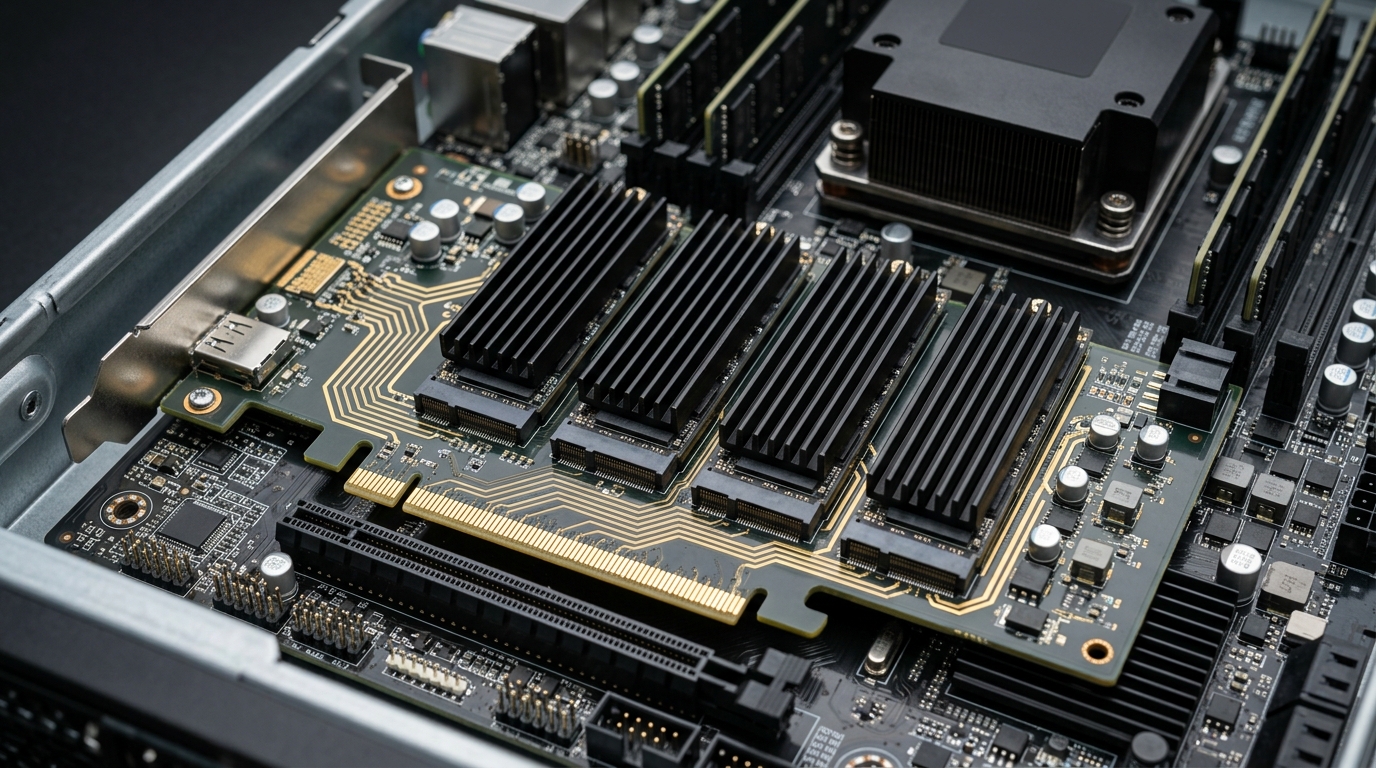
Building high-density all-flash storage arrays inside Proxmox VE hypervisors frequently collides with the physical limits of motherboard M.2 slot availability. While quad M.2 NVMe PCIe carrier cards provide a compact solution to host four high-speed NVMe drives in a single PCIe x16 slot, home lab architects encounter a critical architectural divide: passive PCIe bifurcation carrier cards versus active packet-switched carrier cards (ASM2824 / PLX PEX8747). In 2026, understanding PCIe root complex topology, motherboard lane bifurcation compatibility (x4/x4/x4/x4), signal integrity attenuation across PCIe 4.0/5.0 traces, and ZFS pool IOPS scaling determines whether your Proxmox all-flash vdev achieves 28,000 MB/s line-rate throughput or drops drives under heavy I/O load.
- Bifurcation Dependency: Passive quad M.2 carrier cards (e.g., ASUS Hyper M.2 x16 Gen 4/5) contain zero logic silicon and require host motherboard BIOS support for x4/x4/x4/x4 lane splitting. If your motherboard lacks bifurcation, only the first M.2 slot (Drive 1) will be detected by Proxmox.
- Active Switch Architecture: Active carrier cards utilizing ASMedia ASM2824 or Broadcom/PLX PEX switches dynamically multiplex PCIe lanes. They allow quad NVMe operation on motherboards without bifurcation support or inside electrical x8 slots, but add 100ns–150ns of packet switching latency and 8W–14W of thermal dissipation.
- Signal Integrity & Retimers: PCIe 4.0 (16 GT/s) and PCIe 5.0 (32 GT/s) high-frequency signals suffer rapid attenuation. Passive riser cables or multi-layer carrier boards without redrivers or retimers frequently trigger PCIe Correctable Bus Errors (AER) and ZFS checksum faults under sustained load.
- ZFS Storage Topology: For maximum IOPS and rebuild resilience in Proxmox VE, configure quad NVMe drives in a striped mirror pool (two 2-way mirrors) rather than RAIDZ1. This maximizes random 4K write throughput for VM virtual disks (qcow2/raw).
1. Passive Bifurcation vs. Active PCIe Packet Switching
In consumer motherboards (such as AMD AM5 and Intel LGA 1700/1851), the primary PCIe x16 slot communicates directly with the CPU root complex. Passive carrier cards route four electrical PCIe x4 lanes directly from the slot pins to individual M.2 M-key connectors. For the Linux kernel to recognize all four drives as discrete PCI endpoints (lspci -nn | grep Non-Volatile), the motherboard UEFI must be configured to bifurcate the x16 slot into four distinct root ports (x4/x4/x4/x4).
When bifurcation is unavailable—typical on budget consumer boards, OEM workstations (Dell OptiPlex / HP EliteDesk), or server PCIe slots wired as fixed x8/x8—an active PCIe packet switch is mandatory. Active controllers like the ASMedia ASM2824 act as a PCIe bridge, terminating an upstream x8 connection and presenting multiple downstream x4 links to the connected NVMe drives.
| Carrier Architecture | Motherboard Requirement | Switch Silicon | Latency Overhead | Thermal Dissipation | Average Card Cost |
|---|---|---|---|---|---|
| Passive Quad M.2 (ASUS/Gigabyte) | BIOS x4/x4/x4/x4 Support Mandatory | None (Direct Trace Routing) | < 5 ns (Zero Latency) | 0 W (Card Only) | $45 – $75 |
| Active Switch (ASM2824 Gen3) | Standard PCIe x8 or x16 Slot | ASMedia ASM2824 (PCIe 3.0) | ~120 ns | 8 W – 10 W (Requires Fan) | $140 – $190 |
| Active Switch (Broadcom PLX Gen4) | Standard PCIe x16 Slot | Broadcom PEX88048 / HighPoint | ~90 ns | 14 W – 20 W (Active Blower) | $350 – $550 |
2. Signal Degradation, Insertion Loss & PCIe 4.0/5.0 Trace Physics
As PCIe transfer speeds double with every generation—from PCIe 3.0 at 8 GT/s to PCIe 4.0 at 16 GT/s and PCIe 5.0 at 32 GT/s—the Nyquist frequency jumps from 4 GHz to 8 GHz and 16 GHz. At 16 GHz, dielectric losses in standard FR4 PCB substrate increase exponentially. When high-speed differential pairs travel across the motherboard PCB, through the PCIe slot connector, and across a passive carrier PCB to an M.2 socket, total insertion loss can exceed the PCIe specification channel budget (-28 dB for Gen4, -32 dB for Gen5).
In Proxmox VE environments, this manifest as intermittent PCIe bus downgrades (a Gen4 x4 SSD negotiating at Gen3 x2 or Gen4 x1) or kernel log bursts showing Advanced Error Reporting (AER) events:
# Inspecting Proxmox kernel dmesg for PCIe AER error storms
dmesg | grep -iE "(aer|pcie.*error|downgrade)"
[   14.281042] pcieport 0000:00:01.1: AER: Corrected error received: 0000:01:00.0
[   14.281055] nvme 0000:01:00.0: PCIe Bus Error: severity=Corrected, type=Physical Layer, (Receiver ID)
[   14.281062] nvme 0000:01:00.0:   device [144d:a80a] error status/mask=00000001/0000e000
[   14.281066] nvme 0000:01:00.0:    [ 0] RxErr (First)
To mitigate signal degradation on Gen4 and Gen5 drives, ensure that your carrier card utilizes low-loss Megtron-6 or Isola high-frequency PCB laminates and includes dedicated PCIe retimer chips (such as Astera Labs Aries) if routing over 6 inches of trace distance or through riser cables. For thermal management, always pair these dense carrier cards with active blower cooling to prevent drive thermal throttling as detailed in our guide on PCIe 5.0 NVMe SSD Cooling & Active Heatsink Guides.
3. Configuring Proxmox VE & ZFS Pool Topologies for Quad M.2 Arrays
Once all four NVMe devices are verified in the OS via lsblk -d | grep nvme, storage engineers must architect the ZFS pool layout. While users unfamiliar with ZFS frequently create a single 4-disk RAIDZ1 pool to maximize usable capacity, this topology introduces severe write amplification and bottlenecked random 4K IOPS when running virtual machines.
The gold standard for high-throughput VM hosting in Proxmox is a striped mirror pool (RAID 10 equivalent) consisting of two 2-way mirror vdevs. This doubles write IOPS, eliminates parity calculation overhead, and allows asynchronous TRIM execution without latency spikes:
# Creating an ultra-fast striped mirror ZFS pool on quad NVMe drives
zpool create -f -o ashift=12 -O compression=lz4 -O atime=off -O xattr=sa   nvme-pool mirror /dev/disk/by-id/nvme-drive1 /dev/disk/by-id/nvme-drive2   mirror /dev/disk/by-id/nvme-drive3 /dev/disk/by-id/nvme-drive4

# Verifying pool layout and IOPS health
zpool status nvme-pool
zfs set recordsize=64k nvme-pool
To understand how CPU PCIe lanes interact with motherboard chipset multiplexers before deploying multi-drive setups, review our foundational breakdown on PCIe Lane Bottlenecks: Chipset DMI 4.0 vs. Direct CPU Lanes.
Passive PCIe bifurcation carrier cards represent the pinnacle of price-to-performance in home lab storage—delivering raw, uninhibited PCIe Gen4/Gen5 speeds with zero silicon latency overhead for under $60. However, their viability relies 100% on motherboard BIOS firmware support for x4/x4/x4/x4 splitting. If deploying on consumer platforms without bifurcation, investing in an active ASM2824 carrier is the only viable path, provided you account for its 10W thermal footprint. For mission-critical Proxmox virtual machine storage, always format quad NVMe arrays as striped mirrors to preserve latency predictability under intensive random I/O workloads.
People Also Ask
What is PCIe bifurcation and why is it needed for quad M.2 cards?
PCIe bifurcation is a motherboard firmware feature that splits a single physical PCIe slot (such as an x16 slot) into multiple smaller logical electrical channels (such as x4/x4/x4/x4). It allows multiple independent M.2 NVMe drives on a passive carrier card to communicate directly with the CPU root complex without needing an expensive on-board switch chip.
Will a quad M.2 card work if my motherboard does not support bifurcation?
On a passive carrier card, only the first drive will be detected if bifurcation is unsupported. To use all four drives without motherboard bifurcation support, you must purchase an active carrier card equipped with an on-board PCIe packet switch (such as an ASMedia ASM2824 or Broadcom PLX chip).
Can I boot Proxmox VE from an NVMe drive on a bifurcation card?
Yes, provided your motherboard UEFI supports booting from NVMe devices on bifurcated PCIe slots. However, for maximum hypervisor stability, best practice is to install Proxmox VE on a separate dedicated boot drive and dedicate the quad M.2 array entirely to high-performance ZFS VM storage pools.