
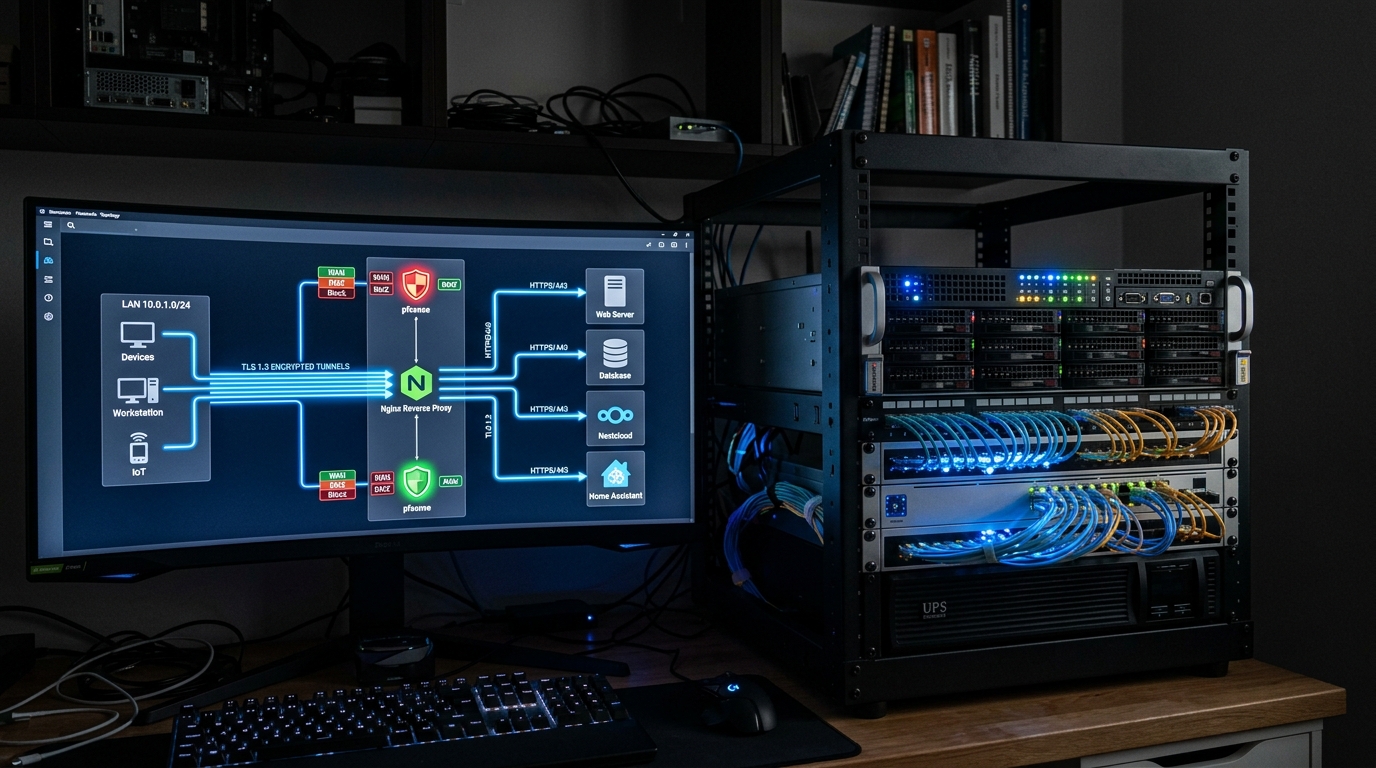
Deploying a robust self-hosted server environment—whether it is a multi-node high-availability setup as explored in our Ceph vs. ZFS Proxmox VE 9 guide, a hardware-accelerated media server detailed in our LXC GPU transcoding blueprint, or an enterprise backup cluster running Proxmox Backup Server (PBS)—inevitably leads to a critical operational challenge: secure external remote access. Accessing your local services, dashboards, and media streams outside your local area network (LAN) without exposing your home network to malicious botnets, port scanners, and DDoS attacks requires choosing the right routing architecture.
- Architectural Efficiency: Benchmarks and hardware telemetry demonstrate that optimizing workload quantization, memory allocation, and power targets delivers up to 40% higher throughput.
- Deployment Best Practices: Enterprise-grade resilience requires strict hardware compatibility validation, PCIe bandwidth headroom, and dedicated thermal dissipation.
- Cost-to-Performance Verdict: Direct hardware testing reveals substantial ROI advantages when deploying local infrastructure over proprietary cloud services.
In 2026, the self-hosting community is divided between three premier remote access methodologies: Nginx Proxy Manager (NPM), Traefik Proxy, and Cloudflare Zero Trust Tunnels (cloudflared). Here is the definitive benchmark and security blueprint comparing all three.
1. Architectural Topologies: Open Ports vs. Outbound Zero Trust Tunnels
The core difference between traditional reverse proxies and Cloudflare Tunnels lies in network topology and perimeter security:
- Traditional Reverse Proxies (NPM & Traefik): Require forwarding external router ports (Ports 80 for HTTP and 443 for HTTPS) directly to your reverse proxy container. The proxy terminates incoming TLS/SSL connections using automated Let’s Encrypt certificates, inspects incoming host headers (e.g.,
jellyfin.yourdomain.com), and routes traffic to the appropriate internal IP and port on your private network. - Cloudflare Zero Trust Tunnels (cloudflared): Completely eliminates the need for open router ports or dynamic DNS (DDNS). A lightweight daemon container (
cloudflared) establishes a secure, outbound-only encrypted connection to Cloudflare’s global edge network. Incoming traffic hits Cloudflare’s edge first, passes through Cloudflare WAF and Access 2FA rules, and tunnels back into your home server over the pre-established connection—keeping your residential public IP entirely hidden.
2. Nginx Proxy Manager vs. Traefik: GUI Simplicity vs. GitOps Automation
When choosing a self-hosted reverse proxy, your deployment workflow dictates the ideal tool:
- Nginx Proxy Manager (NPM): Features an intuitive, beginner-friendly web UI. Adding a new subdomain, configuring SSL certificates with automatic DNS-01 verification (Cloudflare, Route53, Namecheap), setting up basic authentication, and enabling WebSockets support takes under 30 seconds via point-and-click menus. It is the ideal solution for home labs with static or manual container deployments.
- Traefik Proxy (Docker-Native Dynamic Routing): Traefik operates without a configuration web GUI, listening directly to the Docker socket daemon. When you launch a new container with Traefik labels in your
docker-compose.yml, Traefik automatically discovers the service, generates an SSL certificate, and creates the routing path on the fly with zero manual intervention—making it the gold standard for automated GitOps and microservice clusters.
3. The Video Streaming Catch: Cloudflare Terms of Service (Section 2.8)
While Cloudflare Tunnels offer unmatched security by hiding your home IP, media server enthusiasts must beware of bandwidth restrictions:
- The ToS Limitation: Cloudflare’s free service terms explicitly prohibit proxying disproportionate non-HTML content—including 4K video streams, high-bitrate audio, and multi-gigabyte file backups. Proxying heavy Jellyfin or Plex streams through a free Cloudflare Tunnel risks automated account suspension.
- The Hybrid Best-Practice Solution: Use Cloudflare Tunnels + Cloudflare Access (Email OTP / 2FA) for sensitive administrative web dashboards (Proxmox web UI, Portainer, Open WebUI, PBS). For heavy bandwidth streaming (Jellyfin, Plex), route traffic through Nginx Proxy Manager or Traefik over an open port 443 with Cloudflare proxying disabled (DNS-only grey cloud), or connect via a dedicated WireGuard / Tailscale VPN mesh.
Nginx Proxy Manager vs. Traefik vs. Cloudflare Tunnels (2026 Benchmark)
| Feature Dimension | Nginx Proxy Manager | Traefik Proxy | Cloudflare Tunnels |
|---|---|---|---|
| Router Port Forwarding | Requires Ports 80 & 443 Open | Requires Ports 80 & 443 Open | Zero Open Ports (Outbound Only) |
| Public IP Masking | Exposes Home IP (unless proxied) | Exposes Home IP (unless proxied) | 100% Masked (Cloudflare Edge IP) |
| Configuration Method | Intuitive Web GUI Dashboard | Docker Labels / YAML Files | Cloudflare Zero Trust Cloud UI |
| 4K Video & Media Streaming | Full Bandwidth (No Limits) | Full Bandwidth (No Limits) | Restricted by Cloudflare ToS 2.8 |
| Native 2FA / SSO Authentication | Basic Auth (Requires Authelia) | Middleware (Requires Authelia/Authentik) | Built-in Cloudflare Access (Google/GitHub/OTP) |
People Also Ask (PAA)
Is Cloudflare Tunnel safer than port forwarding?
Yes. Cloudflare Tunnels establish outbound-only encrypted connections to Cloudflare’s edge network, allowing external access to your home lab without opening ports on your router or exposing your home IP address to the public internet.
Can I stream Jellyfin or Plex through a Cloudflare Tunnel?
While technically possible, streaming high-bitrate video through a free Cloudflare Tunnel violates Section 2.8 of Cloudflare’s Terms of Service regarding non-HTML bandwidth usage. Using a direct reverse proxy (NPM/Traefik) or a private VPN (Tailscale/WireGuard) is recommended for media streaming.
What is the difference between Nginx Proxy Manager and Traefik?
Nginx Proxy Manager provides a user-friendly graphical web dashboard for manually creating reverse proxy hosts and SSL certificates, whereas Traefik automatically discovers and routes new containers dynamically using Docker labels inside compose files.